About this app
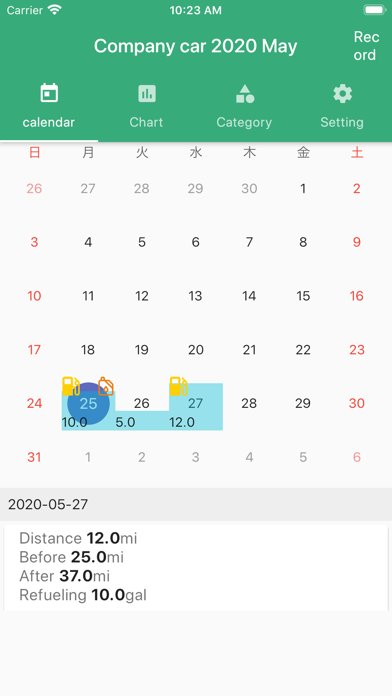
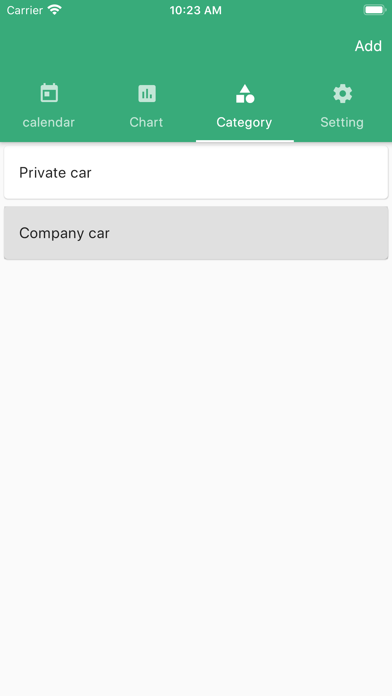
This is a simple app for recording and managing mileage, fuel fill-ups, and oil changes. Your mileage is displayed on a calendar, making it easy to see how far you drove each day in a graph format. To add a record, simply enter the odometer reading before and after driving. You can also manage records by vehicle using categories. You can now separate records for a single vehicle into Business and Private use. For example, if you use a company car or personal car for both work and private purposes, you can manage business mileage and private mileage separately. This is useful for work reports, expense claims, and tracking business/private use. The graph display has also been improved. Business and Private mileage are now shown in an easy-to-read bar chart. With the Premium Plan, you can also display mileage graphs for a custom date range. Recorded mileage entries and categories can be deleted or edited by swiping. Backup of recorded data is also possible. You can restore backed up data in case of data corruption, deletion of apps, or change of device model. We recommend backing up your data just in case. --About Premium Plan Service Name Premium Plan Service Description Removal of all ads. Total mileage for the month and year. CSV export function. Term and Price Annual 1500yen Monthly 200 yen About the automatic renewal billing of Premium Plan Payment will be charged via AppStore (iTunes account). If you do not cancel the auto-renewal more than 24 hours before the end of the term, the contract term will be automatically renewed. You can cancel the auto-renewal of the Premium Plan at any time in your account settings. During the transition to the Premium Plan, loading may be slow due to the congestion of Apple's servers. In rare cases, the Premium Plan migration may fail due to a problem with Apple's servers. In this case, please try to restore your account by clicking the "Restore Purchase" button. If the restore fails, the purchase process has not been completed. Apple's system does not allow you to purchase a premium plan once. If you have purchased a Premium Plan once, you cannot purchase another Premium Plan. If you are using the same Apple device, you can transfer your Premium Plan by clicking the "Restore Purchase" button. If you want to cancel your subscription, please follow the instructions below. If you want to cancel the subscription, please follow the steps below. Tap "Settings". Tap "iTunes Store/App Store". Tap "Apple ID" -> "Show Apple ID". Tap "Manage". Tap an enabled membership. Turn off the "Auto-renew" option to cancel the in-app purchase. Apple's official instructions on how to cancel https://support.apple.com/HT202039 How to change or migrate your device If you are using the same Apple product, you can transfer your premium plan from the "Restore Purchase" button. Terms of Use and Privacy Policy http://hobbybowl.com/privacy_policy.html
Latest release
What’s New
・Fixed an issue where some premium users could not use the CSV export feature. ・Improved navigation so users can correctly access the CSV export screen after changing plans. ・Improved category sorting and selection display. ・Made other minor bug fixes and performance improvements.
Audience growth
Ratings growth
Baseline captured. Growth appears after the crawler observes a changed rating count.
Momentum comes from crawler snapshots for the tracked storefront. “Viral growth signal” means unusually fast recent rating gains; it is an indicator, not download data.
Price tracking
Price intelligence
First snapshot captured. The trend line starts after the next crawler price observation.
- First observed Aug 18, 2026 · 2:43 AM Free
Screenshots