About this app
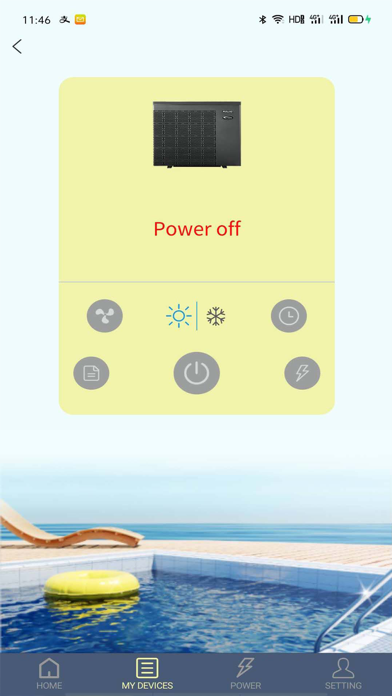
Fairland Service is a platform for your heat pump management, you can remote control your heat pump anytime anywhere with this APP and share the pleasure with your family. Fairland Service brings you easy and relaxed life style. Function 1. Smart connection, bring your heat pump in the pocket 2. Control you heat pump anytime anywhere 3. Share with you family, easier and relaxed life style 4. Multi-language support Software operation When first time to access App, please register following below steps: Click desktop icon ->Register-> Entering email-> Send verification code -> Enter the verification code ->Enter password->Register success: User loading After register success, please follow below steps to load: 1. Click desktop icon ->Enter account and password->Login: 2. Click “add device” ->select Heat pump or Dehumidifier ->Enter Wi-Fi password(please make sure the phone connects the Wi-Fi network)->Match success (Remarks: if match failed, please follow the tips to repeat the match operation.) Main Interface After logging into the main interface, you can do the following operation: 1. Temperature setting The temperature can be set by sliding the dash board in the middle of the main interface 2. Switching mode --Smart/Silence Click bottom “Smart/Silence” to switch mode 3. Switching mode--Heat/Cool Click bottom “Heat/Cool” to switch mode 4. Timer Click the bottom “Timer” to set the switch time Setting End user can enter “Setting”to operate “Customize” ”Setting” ”Help”as below: 1. Customize User can select different background picture. 2. Setting User can change Location of device,Electricity price and unit as well as app notification. 3. Help User and find FAQ etc. here.
Latest release
What’s New
1. Modify wifi config step.
Audience growth
Ratings growth
Baseline captured. Growth appears after the crawler observes a changed rating count.
Momentum comes from crawler snapshots for the tracked storefront. “Viral growth signal” means unusually fast recent rating gains; it is an indicator, not download data.
Price tracking
Price intelligence
First snapshot captured. The trend line starts after the next crawler price observation.
- First observed Sep 2, 2026 · 10:36 AM Free
Screenshots