About this app
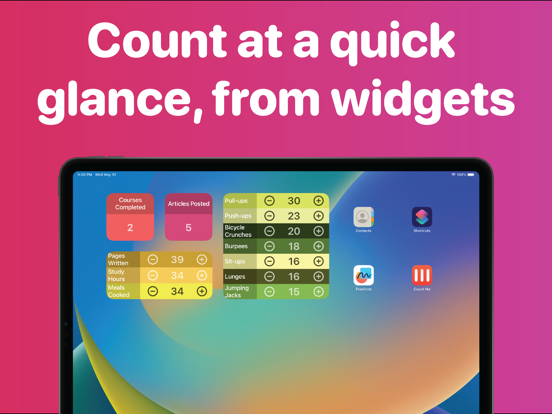
From daily tasks to workout repetitions to business metrics, Count Me is designed to offer a simple and efficient counting experience right at your fingertips. Essential Features: • Create up to 10 counters, each with customizable colors for easy identification. • Widgets: Keep your counters easily accessible and neatly displayed on your Home Screen. • Update with a Tap: Manage your counters instantly with a tap, double tap, or custom buttons. • Adaptive Sizes: Switch between a compact grid, detailed list, or full-screen view to match your preferences. Pro Features: Unlock an even smoother counting experience with Count Me Pro. With it, you can: • Use Unlimited Counters: Create and manage as many counters as you need • Organize Your Counters: Group your counters for easier tracking and management. • Customize Values: Set custom values for tap and double tap inside each group. • Sort Your Counters: Arrange them by name or value. • Duplicate and Reset: Reuse counters or start fresh with one tap. Privacy Policy: https://capps.tech/countme/privacy Terms of Use: https://capps.tech/countme/terms
Latest release
What’s New
- Undo — Reverse the last change to any counter from the fullscreen view or the counter's context menu. - Tap sounds — Optional audio feedback on every count, with three sound styles (Tick, Key, Tink). Plays even when your device is in silent mode. - Siri, Shortcuts & Action Button — Add to, subtract from, reset, or read any counter by voice, from the Shortcuts app, or with the Action Button. - Daily reminders — Schedule a daily notification for any counter, at a time you choose. Free for everyone. - Goals (Pro) — Set a target for a counter and track it with a progress ring in the counter list and fullscreen view. Reaching a goal is celebrated with confetti. - Scheduled auto-reset (Pro) — Reset a counter automatically each day, week, or month. Pre-reset values are archived to your history. - Charts & trends (Pro) — View a 14-day chart of a counter's activity, alongside current value, 14-day net change, and best-day statistics. - Live Activity & Dynamic Island (Pro) — Pin a counter to the Lock Screen and Dynamic Island, with interactive plus and minus buttons. - CSV export & share snapshot (Pro) — Export a counter's full history to a spreadsheet, or share a snapshot image of its progress. - Feature requests — Post and vote on ideas for future updates, from Settings.
Audience growth
Ratings growth
Baseline captured. Growth appears after the crawler observes a changed rating count.
Momentum comes from crawler snapshots for the tracked storefront. “Viral growth signal” means unusually fast recent rating gains; it is an indicator, not download data.
Price tracking
Price intelligence
First snapshot captured. The trend line starts after the next crawler price observation.
- First observed Aug 15, 2026 · 12:23 PM Free
Screenshots