About this app
Customize your iPhone screen with note widgets! ◆ The app is super easy to use! ◆ ① Open the "WidgetNote" app, input some texts and save. ② Go back to home screen and press for a while. ④ + button shows up in the top-left/top-right corner, so tap it and choose 'WidgetNote'. After you select the size, you can see the widgets on your home screen. That's all! ◆ Sticking points ◆ 1. Supported many fonts. 2. Supported Dark mode. ◆ Future plans ◆ We will add as many features as possible. Thank you for your warm support message for the review!
Latest release
What’s New
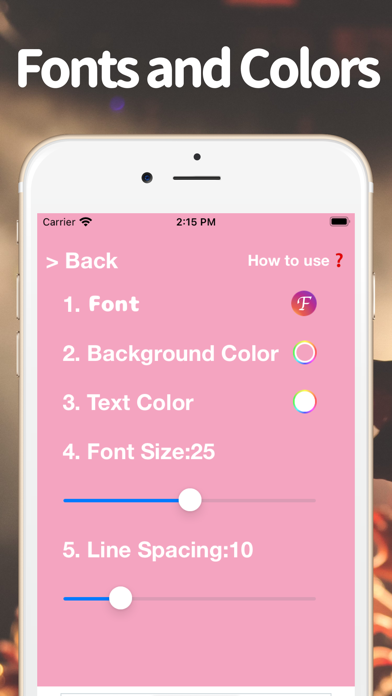
- Added setting for background color, text color, font size, line spacing. - Removed "Save" button.
Audience growth
Ratings growth
Baseline captured. Growth appears after the crawler observes a changed rating count.
Momentum comes from crawler snapshots for the tracked storefront. “Viral growth signal” means unusually fast recent rating gains; it is an indicator, not download data.
Price tracking
Price intelligence
First snapshot captured. The trend line starts after the next crawler price observation.
- First observed Aug 18, 2026 · 3:12 AM Free
Screenshots