About this app
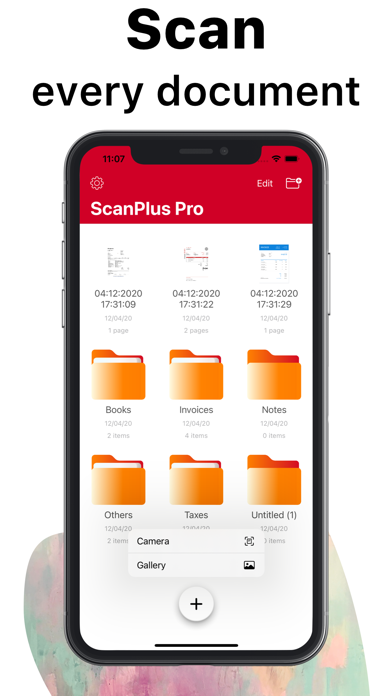
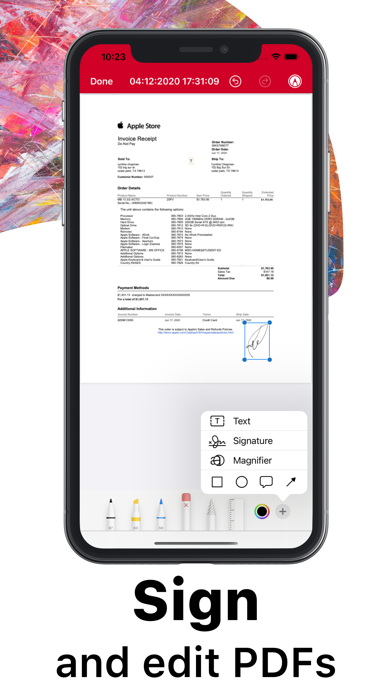
ScanPlus OCR, PDF & E-Signature Scanner: Your Ultimate Mobile Document Scanner Transform your iPhone or iPad into a powerful, all-in-one scanner with ScanPlus. Effortlessly scan, store, and share documents in high-quality PDF format. Whether it's receipts, contracts, notes, or even books, ScanPlus is your go-to solution for fast, efficient scanning on the go. Why Choose ScanPlus? This intuitive mobile scanner will quickly become your indispensable tool for managing documents. Scan anything you need and store it as multipage PDFs, all without the need for bulky office equipment. With cutting-edge features like Optical Character Recognition (OCR) and e-signature capabilities, you'll save time and streamline your workflow. Key Features: High-Quality PDF Scanning: Scan documents in crisp, clear PDF format. Choose from multiple color modes: grayscale, black and white, color, and more. Automatic shutter and border detection for accurate scans. Advanced image processing for enhanced quality, including perspective correction and noise removal. Text Recognition (OCR): Extract editable text from scans with Optical Character Recognition (OCR). Recognize text in 61 languages, including English, Spanish, French, Chinese, Arabic, Russian, and more. Copy and paste recognized text directly into your documents. Multipage Scanning: Scan multiple pages into a single PDF file with ease. Document Annotation and e-Signature: Annotate documents and add signatures digitally with a few taps. Easily sign contracts, agreements, or notes on the go. File Management: Organize your scans with folders and custom file management tools. Merge multiple PDFs into one document. Secure your documents by adding password protection to the app or specific files. Document Sharing & Cloud Integration: Share your scanned documents via email, messaging apps, or directly to cloud services like Dropbox, Google Drive, and iCloud. Print documents wirelessly to any Wi-Fi-enabled printer. Privacy & Security: Lock your app or specific documents with a passcode for extra security. Keep your scanned files safe and private, stored locally on your device. Perfect for Business, School, and Personal Use: Whether you're working on business reports, school assignments, or organizing personal documents, ScanPlus is designed to handle it all. No internet connection required, and your data is stored securely on your device. Say Goodbye to Traditional Scanners: No more bulky scanners or complicated setups. ScanPlus makes scanning documents ultra-fast and easy, wherever you are. Download ScanPlus now and start scanning smarter!
Latest release
What’s New
Upgrade your scanning experience with new features! • AI-Powered Text Recognition: Quickly extract and edit text from your scans. • Improved Dark Mode for enhanced visibility. Update now for a smarter, smoother scanning experience!
Audience growth
Ratings growth
Baseline captured. Growth appears after the crawler observes a changed rating count.
Momentum comes from crawler snapshots for the tracked storefront. “Viral growth signal” means unusually fast recent rating gains; it is an indicator, not download data.
Price tracking
Price intelligence
First snapshot captured. The trend line starts after the next crawler price observation.
- First observed Aug 19, 2026 · 12:52 PM Free
Screenshots