About this app
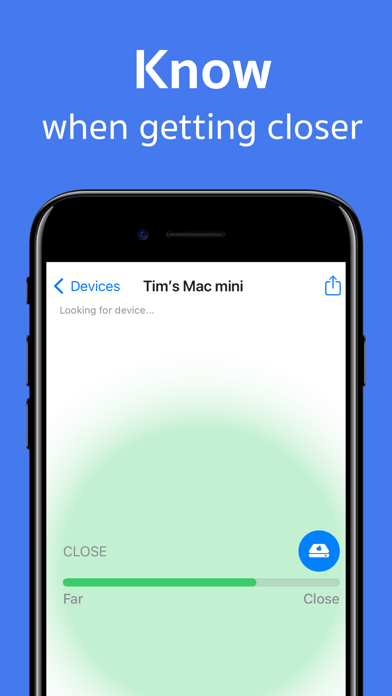
Device Tracker – Bluetooth Finder & AirPods Locator Lost your AirPods, Apple Watch, headphones, or another Bluetooth device? Device Tracker helps you find them fast. Device Tracker is a powerful Bluetooth Finder and BLE Scanner designed to help you locate nearby Bluetooth devices using real-time signal strength. Whether your device is hidden under a couch, left in your car, or misplaced somewhere nearby, Device Tracker guides you to it quickly and easily. No complicated setup. No technical knowledge required. Features • Find nearby Bluetooth devices in seconds • Real-time Bluetooth signal strength tracking • Smart device locator and proximity radar • Fast Bluetooth device detection • Simple and intuitive interface • Supports most Bluetooth Low Energy (BLE) devices Find Devices Such As • AirPods, AirPods Pro, and AirPods Max • Apple Watch • Apple Pencil • iPhone and iPad • Beats headphones and earbuds • Fitbit devices • Bluetooth speakers • Wireless headphones and earbuds • Tile trackers • Most BLE-enabled devices How Device Tracker Works 1. Open the app and allow Bluetooth access 2. Scan for nearby devices 3. Select the device you’re trying to find 4. Follow the live signal strength indicator 5. Move toward the strongest signal As you get closer to the device, the signal becomes stronger, helping you locate it faster. Perfect For • Finding lost AirPods • Locating misplaced Bluetooth headphones • Tracking nearby Bluetooth devices • Finding your Apple Watch around the house • Detecting Bluetooth trackers and accessories • Locating wireless earbuds and speakers Tips for Better Results • Ensure the device is powered on • Bluetooth must be enabled on the device • Move slowly while monitoring signal strength • Remove AirPods from the charging case when searching • Search within Bluetooth range for best results Bluetooth Range Device Tracker can detect Bluetooth devices within approximately 330 feet (100 meters) under ideal conditions. Walls, furniture, and other obstacles may reduce the effective range. Important Information Device Tracker locates devices by detecting their Bluetooth signal. The device must be powered on, actively broadcasting Bluetooth, and within detectable range. Need Help? Questions or feedback? Contact us at: sandya.leelarathne@gmail.com We’re happy to help. Subscription Information Enjoy a free trial and unlock all premium features. • Payment is charged to your Apple ID account upon purchase confirmation • Subscriptions automatically renew unless canceled at least 24 hours before the current billing period ends • Manage subscriptions and disable auto-renewal in Apple ID Account Settings • Any unused portion of a free trial will be forfeited when a subscription is purchased Available Plans • Monthly Subscription • Annual Subscription (Best Value) Privacy Policy: https://paddyviewfoundry.com/devicetracker/privacy Terms of Use: https://paddyviewfoundry.com/devicetracker/terms
Latest release
What’s New
General Improvement and Bug fixes
Audience growth
Ratings growth
Baseline captured. Growth appears after the crawler observes a changed rating count.
Momentum comes from crawler snapshots for the tracked storefront. “Viral growth signal” means unusually fast recent rating gains; it is an indicator, not download data.
Price tracking
Price intelligence
- First observed Aug 14, 2026 · 5:39 PM Free
Screenshots