About this app
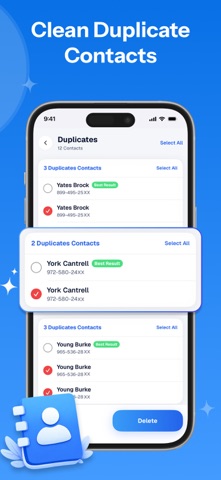
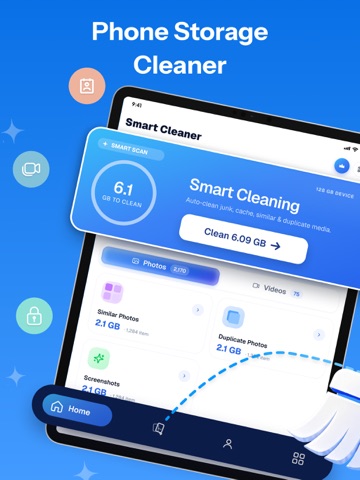
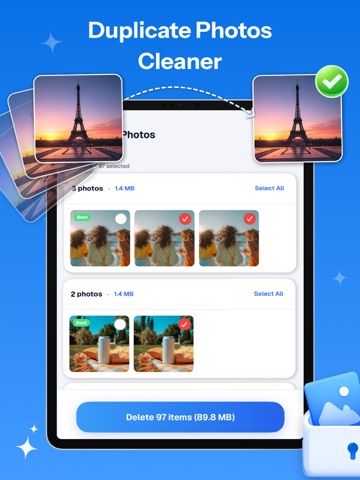
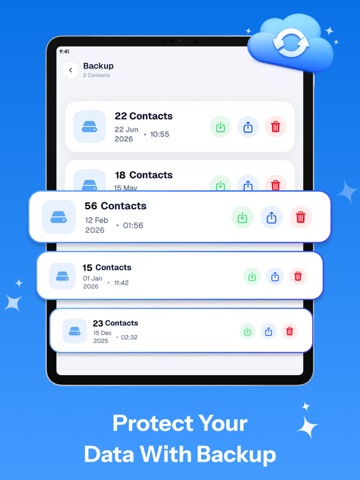
Your phone is full, things are slowing down, and you keep putting it off. We have all been there. It is time to clean and get your storage back for good. Phone Cleaner: Swipe to Delete is built for anyone who wants a cleaner, faster phone without the stress. From duplicate photos to junk and cached data, it finds what is taking up space and helps you clear it out quickly and easily. Key Features of Phone Cleaner: Swipe to Delete : 1) Swipe to Delete Go through your photos one by one and swipe delete photos you do not want to keep. It is the quickest way to do a photo cleanup and clear space without missing a single shot. 2) Phone & Storage Cleaner Give your phone a proper clean from top to bottom. It scans for junk, removes unnecessary items, and clears out too many photos and videos taking up extra space, giving you more room and freeing up storage so your phone runs the way it should. 3) Duplicate Video Cleaner Videos take up more space than almost anything else on your phone. The duplicate video cleaner scans your library, finds repeated or near-identical clips, and lets you remove them in seconds, freeing up serious storage without losing the videos that matter. 4) Duplicate Contact Cleaner A messy contacts list makes everything harder. The duplicate contact cleaner finds repeated or merged contacts, lets you review them side by side, and cleans them up so your address book stays neat and easy to navigate. 5) Deep Clean Engine Not sure what to delete? This clever cleaner scans your phone, clears out cached data, and shows you exactly what is slowing things down. No guessing, just results. 6) Backup Never lose what matters. The backup feature safely saves your important photos, contacts, and videos so you always have a copy when you need it. Whether you are switching phones or just want peace of mind, restoring everything is quick and simple with just a few taps. Why Choose Phone Cleaner: Swipe to Delete? - Swipe to delete makes photo cleanup faster than ever - Duplicate photos cleaner removes copies you did not know were there - Cache cleaner and storage cleaner work together for better results - Duplicate video cleaner frees up space taken by repeated clips - Duplicate contact cleaner keeps your address book tidy and organised It takes care of the things that slow your phone down every day. From photo delete to cache cleanup, each feature is straightforward and works right away without any learning curve. Clean Photo Storage Space is what you get from day one. Give Phone Cleaner: Swipe to Delete a go and notice the difference a good clean up storage session makes. Disclaimer: This app offers paid features that require an additional purchase for full access. To enjoy all the content and functionality, a subscription is required. Privacy Policy: https://vasundharaapps.com/smart-cleaner-privacy-policy-ios Terms of Use: https://vasundharaapps.com/smart-cleaner-terms-of-service-ios
Latest release
What’s New
Thanks for staying with us! The new version offers: - Bug fixes and performance improvements. - Improve User Experience - We love getting feedback from all of you! Please leave your feedback.
Audience growth
Ratings growth
Momentum comes from crawler snapshots for the tracked storefront. “Viral growth signal” means unusually fast recent rating gains; it is an indicator, not download data.
Price tracking
Price intelligence
- First observed Aug 14, 2026 · 12:40 AM Free
Screenshots