About this app
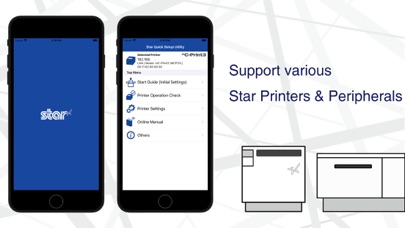
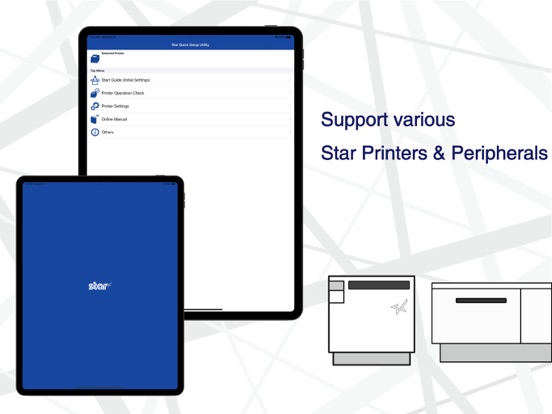
Star Quick Setup Utility enables you to quickly set up Star POS printers and these peripheral devices provided by Star Micronics. Moreover, it is helpful to check printers and peripheral devices' operation or to change various parameters. There are links to online manuals, so it also helps to trouble. [Supported Printers and Peripheral devices] - mC-Label3 - mC-Label2 - mC-Print3 - mC-Print2 - mPOP - TSP100IV - TSP100IV SK - TSP100III - mC-Connect Drawer - Wireless LAN Unit [Features] ** Initial Settings ** - Search Printer - Use Wireless LAN - Use Star SteadyLAN - Use Star Micronics Cloud Services - Check Available Functions ** Printer Operation Check ** - Printer Test (Print sample receipt / Print photo) - Device Status - Wireless LAN Troubleshooting - Print Job - Printer Self Printing - Cash Drawer / Buzzer Test - Barcode Reader / HID Device Test - Customer Display Test - Melody Speaker Test ** Printer Settings ** - Memory Switch Settings / Advanced Settings - Logo Settings - Interface Settings (Bluetooth / Network / USB) - Cloud Settings (Star CloudPRNT / Star Micronics Cloud Service) - Peripheral Settings (Wireless LAN Unit / Barcode Reader) - Label Settings (One Touch Label / Print Media / Parts Cleaning / Parts Replacing) - Firmware Update - Star Configuration Export / Import ** Online Manual ** - Open the online manual
Latest release
What’s New
Fixed a minor issue.
Audience growth
Ratings growth
Baseline captured. Growth appears after the crawler observes a changed rating count.
Momentum comes from crawler snapshots for the tracked storefront. “Viral growth signal” means unusually fast recent rating gains; it is an indicator, not download data.
Price tracking
Price intelligence
- First observed Aug 12, 2026 · 10:11 PM Free
Screenshots