About this app
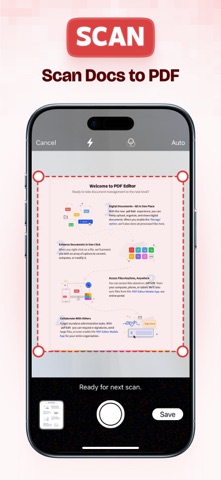
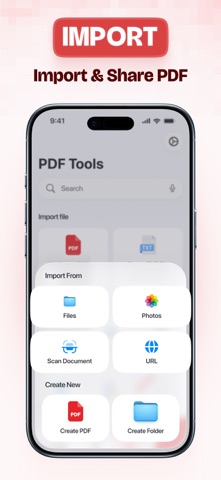
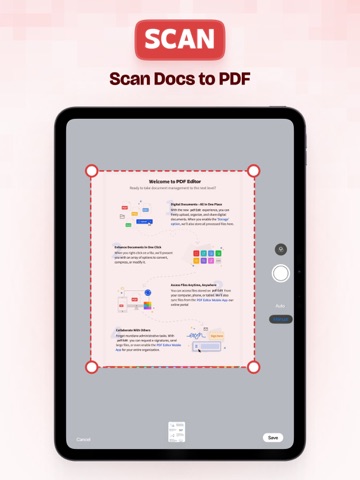
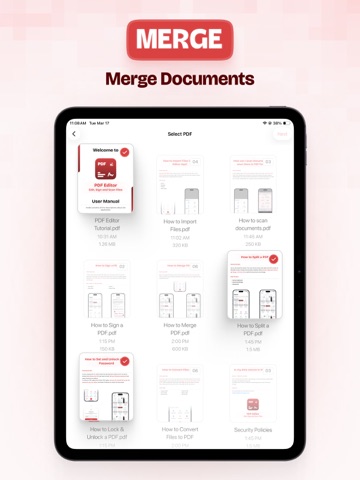
PDF Editor: Scan, Convert & Sign Documents Working with PDFs should feel simple and efficient. PDF Editor helps you scan documents, edit PDFs, convert files, and sign documents—all in one easy-to-use app. Whether you're managing work files, study materials, or personal documents, everything stays organized and accessible. All-in-One PDF Editor & Scanner Edit, merge, convert, and manage your PDFs with a smooth workflow designed for everyday use. Edit, Merge & Organize PDFs Stay in control of your files with powerful editing tools: • Add text and annotations to PDFs • Merge multiple PDFs into one file • Split large PDFs into smaller sections • Reorder, rotate, or delete pages • Manage pages with simple controls Perfect for organizing documents, notes, and reports. Sign & Protect Documents Handle important files securely: • Add signatures to forms and documents • Set passwords to protect sensitive PDFs • Open password-protected files Convert Files to PDF Use a fast PDF converter while keeping formatting consistent: • Image to PDF • Text to PDF • Word to PDF • Excel to PDF Scan Documents Anytime Turn your device into a portable PDF scanner: • Scan receipts, notes, and documents • Automatic edge detection for clear scans • Adjust, crop, and enhance scans • Save instantly as PDF files Import Files from Multiple Sources Access your documents easily: • Files app • Photos • iCloud Drive • Dropbox • Import via URL (Third-party services are supported for import functionality only. This app is not affiliated with or endorsed by these services.) Read or Listen to PDFs Review documents your way: • Smooth PDF reader with zoom and navigation • Listen with built-in text-to-speech Organize Your Files Efficiently Keep everything structured: • Rename, move, or duplicate files • Create folders • Search by file name or type Share & Print Easily • Share via Mail, AirDrop, or other apps • Print documents directly Privacy-Focused Experience Your documents are handled with care, focusing on reliable performance and respecting your privacy. Privacy Policy: https://maximaapps.com/policy/privacy_policy.html Terms of Use: https://maximaapps.com/policy/terms_of_use.html
Latest release
What’s New
We fixed bugs to make your experience smoother.
Audience growth
Ratings growth
Momentum comes from crawler snapshots for the tracked storefront. “Viral growth signal” means unusually fast recent rating gains; it is an indicator, not download data.
Price tracking
Price intelligence
- First observed Aug 8, 2026 · 1:24 AM Free
Screenshots