About this app
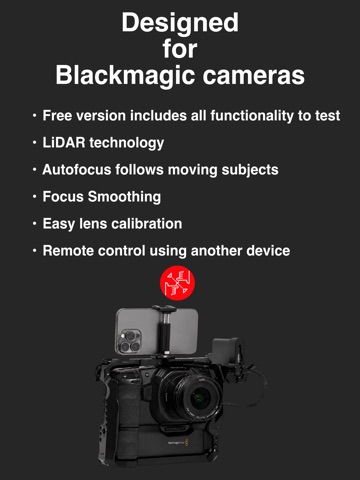
Control focus on your Blackmagic camera over Bluetooth using LiDAR (for auto-focus) or use a manual control. All of the features can be tested for free for an unlimited time. LiDAR FOCUS CONTROL LiDAR Focus Control is available for iOS devices that have a LiDAR scanner. Simply tap a subject on the iPhone screen, or draw a box around something, and the app will follow it and keep it in focus. REMOTE CONTROL Control LiDAR subject tracking using a second device such as an iPad and see a live video stream and the iOS focus device. Tap to track. MANUAL MODE Manual Mode will work with any iOS device and solves a common problem when using stills lenses to shoot moving pictures: a limited focus throw. Using this app, the focus throw can be extended, allowing precise control to match that of a lens designed for a movie camera. Markers and optional haptic feedback allow the focus puller to feel when the focus reaches a set point without having to look at the image, making the experience closer to a traditional focus puller. Both of these solutions mean the focus puller can stand and operate separate to the camera operator.
Latest release
What’s New
EF Mount lens support added in beta for BMPCC 6K and 6K Pro cameras. Remote Control allows a second operator to use another iPhone or iPad to control subject tracking autofocus with a live video feed of the focus device. Tap to focus.
Audience growth
Ratings growth
Baseline captured. Growth appears after the crawler observes a changed rating count.
Momentum comes from crawler snapshots for the tracked storefront. “Viral growth signal” means unusually fast recent rating gains; it is an indicator, not download data.
Price tracking
Price intelligence
First snapshot captured. The trend line starts after the next crawler price observation.
- First observed Aug 19, 2026 · 6:02 AM Free
Screenshots