About this app
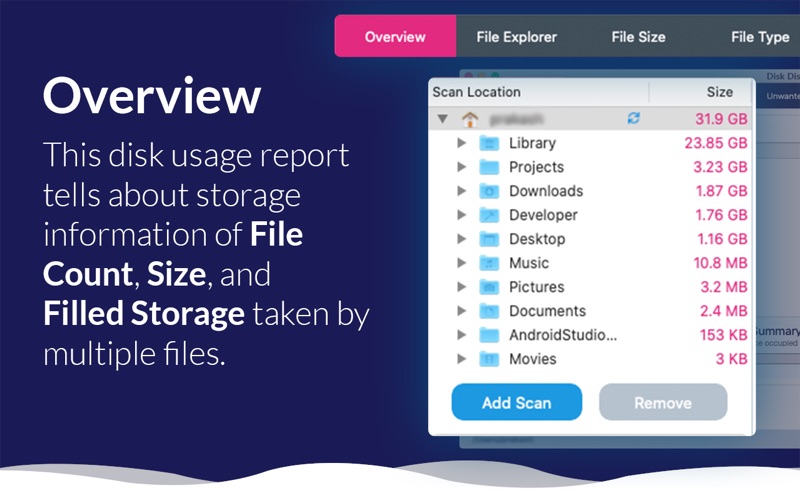
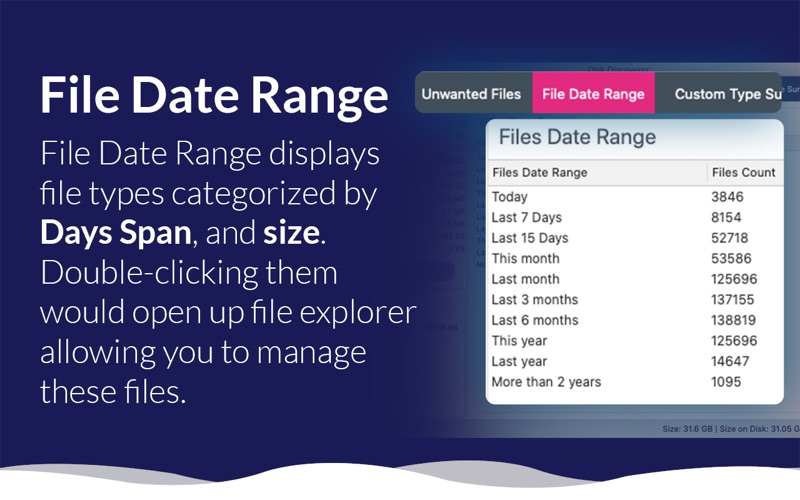
Manage Files & Folder including all the comprehensive details on space consumption, it provides easy access to any drive and removes trash from disks. With Disk Discoverer, you'll be allowed to: - Manage Storage Effectively. - Create your own group with required extensions. - Understand the File Formats. - Sort Files according to their Size. - Find Unwanted items in one go. - Exclude Files / Folders that you don't want to scan. - List all Directories. - Find Top 100 Largest Files. - Find Top 100 Oldest Files. - Find Count & Size of File Types. - Copy files to any place. - Transfer files to any place. - Delete any file instantly. - And many more... For you, Disk Discoverer does all the job! To easily find and delete all the junks that take up your precious disk space, we've configured the most efficient locations. Stop wasting disk space on your Mac. • Overview A detailed disk usage report is formed showcasing the statistics of the storage in terms of file count, size, and percentage of the storage being used by various file types. • File Explorer You can browse through storage with ease by using the built-in File Explorer. This functionality also allows you the ability to control delete, copy and transfer operations when browsing through the storage. • File Size All files are arranged on the basis of file size to minimize time and effort. • File Type All files are listed on the basis of the file type to minimize your time and effort. • Unwanted Files Unwanted Files contain all the files on the drive that fill up unnecessary storage space. It contains trash files, temporary folders, log files, etc. Regain gigabytes of hard drive space and de-clutter your system by getting rid of these files. • File Date Range File Date Range shows files grouped per date range file types and size, respectively. If you double-click them, the file explorer will open and sync these files. • Custom Type Summary This is a very fascinating Disk Discoverer functionality that groups data into different categories based on their file formats, such as video files, audio files, image files, junk files, text files, compressed files, etc. •List All directories This feature of Disk Discoverer shows a complete list of folders and sub-folders on the drive. It helps in recognizing the system's biggest or oldest directories. •Spot the oldest and biggest files Using options such as Top 100 files by size and Top 100 oldest files, this functionality is extremely promising and allows you to reclaim massive chunks of drive space. Terms of Use : https://sites.google.com/hopeitz.com/diskdiscoverer/terms-of-service
Latest release
What’s New
- Gain Fast Disk Space - UI Improvement and Minor bug fixes - Make the app free to download.
Audience growth
Ratings growth
Baseline captured. Growth appears after the crawler observes a changed rating count.
Momentum comes from crawler snapshots for the tracked storefront. “Viral growth signal” means unusually fast recent rating gains; it is an indicator, not download data.
Price tracking
Price intelligence
First snapshot captured. The trend line starts after the next crawler price observation.
- First observed Aug 12, 2026 · 11:57 PM Free
Screenshots