About this app
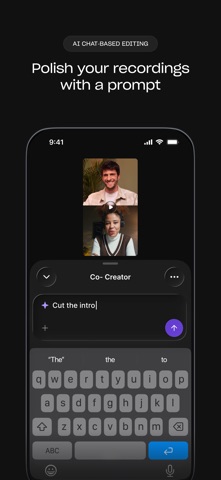
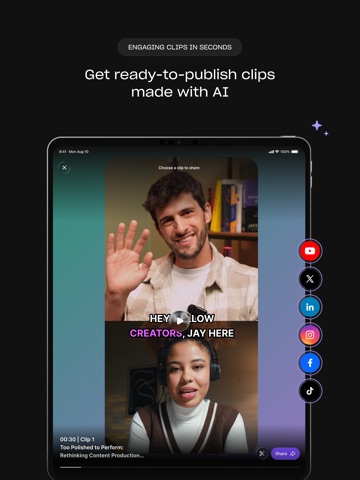
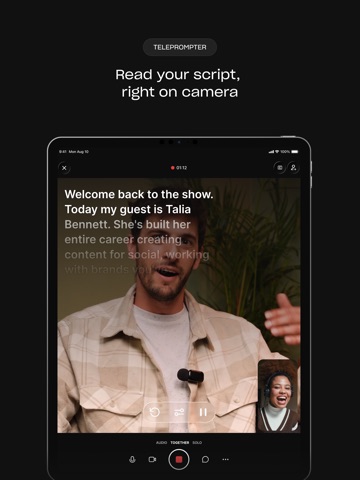
Studio-quality recording, editing, and live streaming, right from your phone. Riverside turns your phone into a portable studio for conversations and talking head videos. Record crisp video and audio anywhere, polish it on the spot, go live to your audience, and turn the best bits into posts, without a laptop or a production team. Whether you're creating a podcast, a YouTube channel, a personal brand, or content for your business, this is where it gets made. RECORD ANYWHERE, IN STUDIO QUALITY Record solo, bring on a remote guest, or go audio-only. Riverside captures every track locally, so your quality stays sharp even when your connection doesn't. A built-in stabilizer keeps your shot steady, and your footage uploads in the background as you record, so it's ready to edit and clip the moment you stop. CLIPS FOR SOCIAL, MADE FOR YOU Knowing what to post is hard. Making it is harder. Riverside's AI does both. It finds your most engaging moments, then cuts them, frames them, and adds the captions. You get the best clips from every recording, ready to publish with a tap. EDIT WITH A PROMPT Describe your edit, and Riverside's AI agent makes it. No timeline. No pinching and dragging clips around on a small screen. Tell it which parts to cut and keep, ask it to clean up audio and remove filler words, or add captions and branding. It's the fastest route from raw recording to ready to post, and when you want more control, your project is waiting for you in the Riverside desktop editor. TURN ONE RECORDING INTO A CONTENT ENGINE WITH AI Riverside's AI agent takes a single recording and makes the rest for you: social clips, a thumbnail, captions, a blog post, full show notes. Just ask. LIVE STREAM TO EVERYWHERE AT ONCE Go live and multistream to YouTube, Facebook, LinkedIn, X, Twitch, TikTok, and custom RTMP destinations at the same time — one session, every audience. PICK UP WHERE YOU LEFT OFF Started a recording or an edit on your computer? Open it on your phone, watch it back, and leave comments waiting for you when you're back at your desk. Already a Riverside desktop user? The app carries your work with you, so your studio isn't stuck at one location. A SECOND CAMERA IN YOUR POCKET Recording on desktop? Add your phone as a second angle and capture an extra video track for your edit. BUILT FOR CREATORS OF EVERY KIND Podcasters, YouTubers, personal brands, and marketing teams — anyone who wants studio-quality content without the studio. WHY RIVERSIDE True local recording for quality independent of your connection One recording = instantly generated clips, thumbnails, posts, and more. AI editing and audio cleanup Full production suite across mobile and desktop Download Riverside and take your studio anywhere. Terms & Conditions: https://riverside.com/terms-conditions Privacy: https://riverside.com/privacy-policy
Latest release
What’s New
We made clips faster. Like way faster. Review more clips and find the best moment to post to social.
Audience growth
Ratings growth
Baseline captured. Growth appears after the crawler observes a changed rating count.
Momentum comes from crawler snapshots for the tracked storefront. “Viral growth signal” means unusually fast recent rating gains; it is an indicator, not download data.
Price tracking
Price intelligence
- First observed Aug 15, 2026 · 11:58 PM Free
Screenshots