About this app
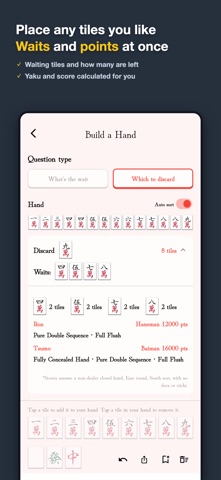
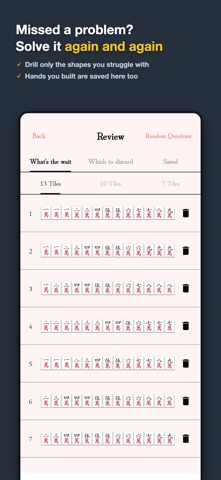
This is a mahjong "nani-kiru" (what to discard) quiz app specializing in complex wait patterns (tamen-machi). It contains over 1,000 high-quality problems. With a breakdown display of melds, you can see at a glance why a certain wait occurs. Repeating these problems will make your decision-making faster and more accurate. Features Wait Breakdown: Melds, sub-melds (tatsu), and wait elements are color-coded, helping you understand the mechanics behind them. Which to Discard Mode: Pick the discard that keeps the widest wait from a ready hand, with detailed comparisons of waits, tiles left, yaku, and scores. Level-based Learning: Start with simple 7-tile or 10-tile problems and step up gradually. Overcome Weaknesses with Review: Incorrect answers are automatically recorded, allowing you to focus your training on areas you struggle with. Time Attack: Train your split-second reaction speed under time pressure, just like in a real match. Over 1000 Problems: A wide variety of unique problems, keeping you engaged for the long term. Recommended for those who Want to reduce oversight in complex wait situations. Want to memorize wait patterns for flush hands (chinitsu) by heart. Want to relearn the basics of tile efficiency. About Subscriptions Some features are available via subscription. Before purchasing, please be sure to check the name, duration, price, auto-renewal, and cancellation methods displayed within the app. * Payment will be charged to your Apple ID at the time of purchase confirmation. You can manage or cancel your subscription by going to Settings > Apple ID > Subscriptions. Unless cancelled at least 24 hours before the renewal date, the subscription will automatically renew. Terms of Use The Apple Standard End User License Agreement (Apple Standard EULA) applies to this app. Apple Standard EULA: https://www.apple.com/legal/internet-services/itunes/dev/stdeula/ Privacy Policy Please check the privacy policy via the Privacy Policy URL provided in App Store Connect.
Latest release
What’s New
- Added "Improvement History". See which version addressed your feedback and requests, available from Settings → Contact. - Stability improvements.
Audience growth
Ratings growth
Baseline captured. Growth appears after the crawler observes a changed rating count.
Momentum comes from crawler snapshots for the tracked storefront. “Viral growth signal” means unusually fast recent rating gains; it is an indicator, not download data.
Price tracking
Price intelligence
First snapshot captured. The trend line starts after the next crawler price observation.
- First observed Sep 3, 2026 · 8:05 PM Free
Screenshots