About this app
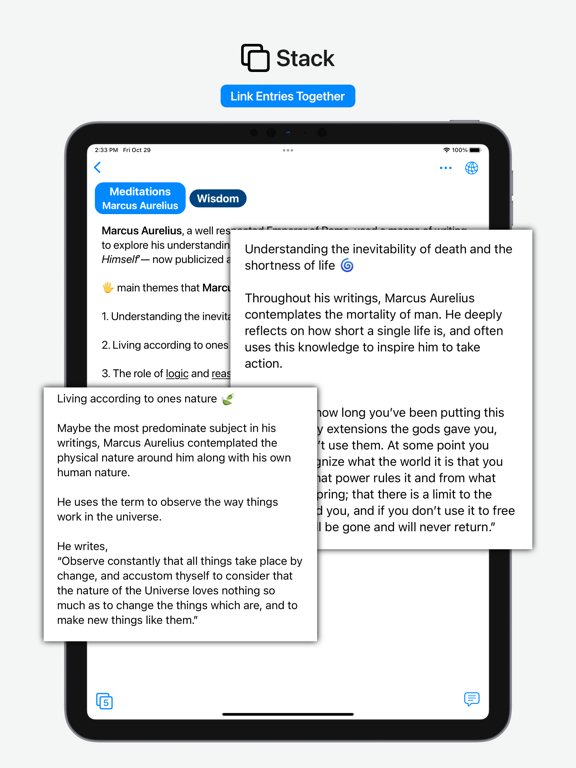
Cultivate Ideas, Craft Masterpieces Enter is your digital hub for transforming fleeting hunches into tangible outcomes. This all-in-one tool is designed for everything from simple planners and lists to complex project notes and groundbreaking ideas. Whether you’re charting discoveries in your personal life or outlining revolutionary concepts, Enter is the ultimate workspace for thinkers, dreamers, and doers. Experience Continuous Innovation Continually developed to deliver the best user experience, Enter invites you to join a community of creators who see the world differently. Download now and start exploring the potential of your ideas. Benefits & Features Robust Tag Network: Customize your workspace with dynamic tags for effortless organization and retrieval. Rapid Write Interface: Designed for all forms of writing to capture ideas swiftly and clearly. Comprehensive Toolset: Includes Notes, Photos, Voice Memos, and Hyperlinks. Rich Text Options: Extensive formatting capabilities with inline photo and link integration. Efficient Management: Features Checklists, Drag-and-Drop Editing, Archive, and Privacy Locks. Advanced Linking: Stack entries with bi-directional linking for complex thought mapping. Smart Conversion Tools: Voice-to-Text, Text-to-Speech, and text extraction from images or web links. Seamless Integration: Document Scanning, Custom Appearance Settings, and Export Options. Cloud Sync: iCloud synchronization ensures your data is safe, private, and accessible across all your devices. Free to Use – No Subscriptions Required Enter is completely free, requires no subscriptions, and does not necessitate account creation. Your data remains yours alone—stored on your device and within your personal iCloud space, ensuring complete privacy and security. Resources & Support Need help or have suggestions? Reach out to us at support@entermaurs.com. Discover More Visit us online at ENTERMAURS.com and follow our journey on social media @ENTERMAURS.
Latest release
What’s New
- Todos: A new way to manage your tasks and to-dos directly within Enter. - Home Feed: Vertical swipe through your entries to easily navigate your content. - Quick Entries: Quickly create any type of entry from anywhere in the app using a minimal, fast interface. - Major Interface Improvements: A significant overhaul improving the look and feel of the app, making it more intuitive and engaging.
Audience growth
Ratings growth
Baseline captured. Growth appears after the crawler observes a changed rating count.
Momentum comes from crawler snapshots for the tracked storefront. “Viral growth signal” means unusually fast recent rating gains; it is an indicator, not download data.
Price tracking
Price intelligence
First snapshot captured. The trend line starts after the next crawler price observation.
- First observed Aug 8, 2026 · 1:29 PM Free
Screenshots