About this app
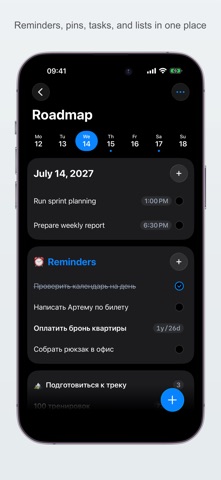
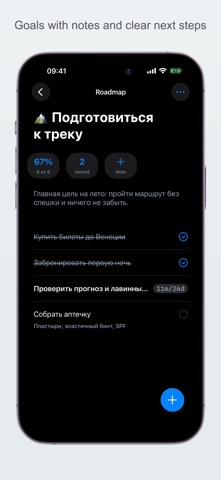
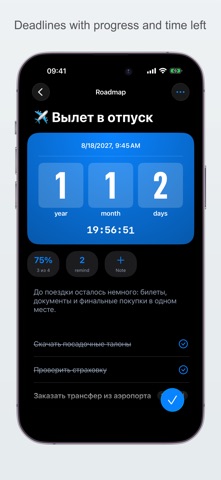
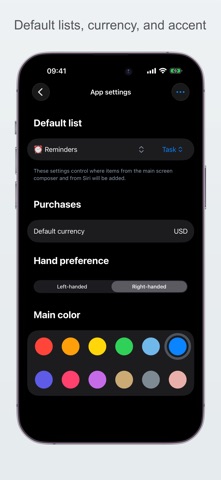
The Roadmap helps you organize your everyday routine. You can create an unlimited number of nested lists and put tasks inside them. You can create different types of tasks: - Task - a checkbox item you can complete manually - Goal - a list with progress tracking in percent - Shopping - a task where you can add a price tag in your chosen currency - Countdown - shows a countdown to a specific date - Counter - helps you count workout reps or books you've read, for example - Stopwatch - start counting days, hours, and minutes from a specific moment, for example smoke-free days - Rating - give anything a star rating, for example build your own ranking of coffee blends **Planning:** Each task can have a deadline or a date range. The app shows your plan for today and for the week, so you don't forget anything. **Notifications:** Set up notifications for each task. Notifications can be one-time or repeating. **Siri:** Ask Siri to do "Roadmap new task" or "Roadmap add shopping" without even opening the app. **Shortcuts:** Advanced users can create their own workflows in Apple's Shortcuts app. Roadmap lets you automate list and task management. The list of available shortcuts will keep growing. **Spotlight Search:** You can search tasks, lists, and goals right from Spotlight. **Application settings:** - Default list to add tasks to - Chose main color - Setup default currency
Latest release
What’s New
## Planning Made Easier You can now schedule tasks. In the editor, choose a start date and time as well as an end date and time. Selected dates appear in lists and on the home screen. ## Weekly Overview A new widget on the home screen shows tasks for today or a selected day in the current week. It includes only tasks with a date set. ## New Commands New commands are available for Siri and Shortcuts. Create tasks, shopping items, lists, and goals with Siri or Shortcuts. You can also find, open, and complete tasks and shopping items. ## Reminders and Settings Reminders are now collected in the Inbox list. In Settings, you can choose a different default list and task type.
Audience growth
Ratings growth
Baseline captured. Growth appears after the crawler observes a changed rating count.
Momentum comes from crawler snapshots for the tracked storefront. “Viral growth signal” means unusually fast recent rating gains; it is an indicator, not download data.
Price tracking
Price intelligence
First snapshot captured. The trend line starts after the next crawler price observation.
- First observed Aug 30, 2026 · 4:12 PM Free
Screenshots