About this app
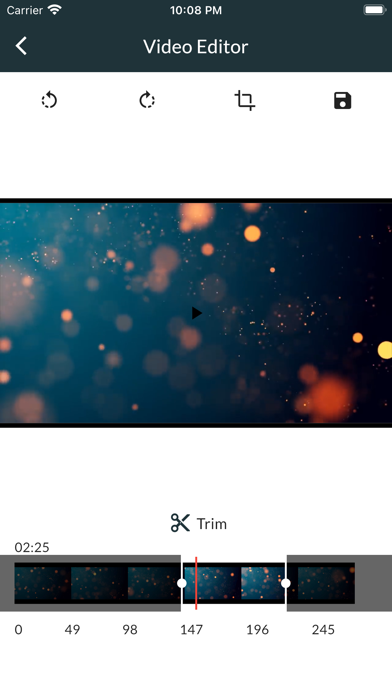
Need to reduce video size or make quick edits before sharing? Video Compressor. Easy Editor lets you compress, trim, split, convert, and edit videos fast - fully offline and directly on your device. No uploads. No accounts. Your videos stay private. 1. Compress videos without losing control Choose the exact quality you need: - 1080p (High quality) - clear video with smaller file size - 720p - balanced quality and compression - 480p - ideal for sharing - 360p - strong compression - 240p - smallest files Perfect for saving storage, sending videos by messenger, or uploading with size limits. 2. Simple video editor for everyday tasks Edit your videos in seconds: - Apply filters - Sepia, Grayscale, Vintage, Brighten, Contrast, Cool, Warm - Rotate and flip videos - Change playback speed - Blur sensitive areas - Mute audio - Adjust bitrate to control file size No complex timeline. Just the tools you actually need. 3. Split, resize, and convert videos - Split long videos into smaller clips - Resize videos to common resolutions - Convert videos for better compatibility - Prepare videos for email, social apps, or cloud storage 4. Local processing and secure storage - All compression and editing happen locally - No cloud uploads - Works offline - Your videos remain on your device This means faster processing and full privacy. 5. Fast sharing - Share compressed or edited videos instantly - Works with messaging apps, email, and cloud services - Smaller files send faster and use less data 6. Why video compression matters Video files are large. Compression helps you: - Free up storage space - Send videos faster - Reduce mobile data usage - Avoid upload size limits - Store more videos on your device With the right compression level, you keep good visual quality while cutting file size significantly. 7. Designed for speed and ease - Clean and simple interface - Fast processing - Clear quality presets - Works on older devices If you need a fast video compressor, an easy video editor, or a simple way to resize and shrink videos, this app is built for you. ____ Privacy Policy - https://video-editor-compressor.web.app/privacypolicy.html Terms and Conditions - https://video-editor-compressor.web.app/tos.html LICENSED APPLICATION END USER LICENSE AGREEMENT - https://www.apple.com/legal/internet-services/itunes/dev/stdeula/
Latest release
What’s New
Major upgrade to the compression engine
Audience growth
Ratings growth
Baseline captured. Growth appears after the crawler observes a changed rating count.
Momentum comes from crawler snapshots for the tracked storefront. “Viral growth signal” means unusually fast recent rating gains; it is an indicator, not download data.
Price tracking
Price intelligence
First snapshot captured. The trend line starts after the next crawler price observation.
- First observed Sep 16, 2026 · 10:26 AM Free
Screenshots