About this app
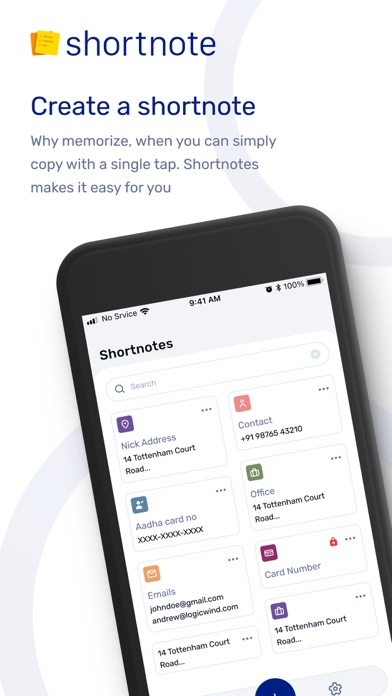
"Shortnotes: Securely Manage Your Notes, Passwords, and Personal Details Do you struggle to remember passwords or keep track of your personal details, such as Aadhaar, PAN, or credit card numbers? Look no further—Shortnotes is your ultimate solution! With Shortnotes, you can securely store and manage all your important information in one place and access it anytime, anywhere. Your All-in-One Digital Vault Shortnotes is not just a notes app; it’s your encrypted vault for storing passwords, codes, and personal data. Whether it's login credentials, ID proofs, or frequently used Wi-Fi passwords, Shortnotes ensures your information is private, secure, and accessible when needed. Key Features That Make Shortnotes Unique Secure Storage Your data is encrypted and safely stored, so you never have to worry about breaches or unauthorized access. All Details in One Place Manage all your information—credit card numbers, IDs, login credentials, and more—within one convenient app. Copy with Widgets Access and copy your saved information directly from the home screen widgets. No need to open the app every time! Multi-Device Compatibility Access your notes and details seamlessly across all major platforms, ensuring you never lose track of your information. Password-Protected Notes Lock sensitive information with an extra layer of protection—keep your private notes secure from prying eyes. Why Choose Shortnotes? Simplify Your Life: Save time and avoid frustration by having everything you need in one place. Stay Organized: No more rummaging through physical files for Aadhaar or PAN numbers. Be Secure: Your data is encrypted to ensure maximum privacy and safety. Who Is Shortnotes For? Busy professionals who want to manage multiple accounts and sensitive information. Students who store notes, log-in details, and ID proofs. Everyday users who are looking for a reliable and secure way to manage personal data. Popular Uses for Shortnotes Storing login credentials for apps and websites. Managing credit card information for quick online payments. Saving frequently used numbers like Aadhaar, PAN, and Wi-Fi passwords. Keeping track of personal or professional notes securely. How It Works Download Shortnotes and create an account. Add your notes, passwords, and personal details. Lock sensitive data with a password for extra security. Copy information effortlessly with home screen widgets. Start Today, Stay Organized and Secure! Whether you’re managing your personal life or professional accounts, Shortnotes is your trusted companion for handling everything securely. Start using the app today to experience a new level of organization and convenience. Your Data, Your Control We respect your privacy. Shortnotes ensures that your information stays private and secure at all times. Try Shortnotes for Free! Download the app now and see how it can make your life easier!"
Latest release
What’s New
Minor fixes and improvements.
Audience growth
Ratings growth
Baseline captured. Growth appears after the crawler observes a changed rating count.
Momentum comes from crawler snapshots for the tracked storefront. “Viral growth signal” means unusually fast recent rating gains; it is an indicator, not download data.
Price tracking
Price intelligence
First snapshot captured. The trend line starts after the next crawler price observation.
- First observed Aug 11, 2026 · 9:08 AM Free
Screenshots