About this app
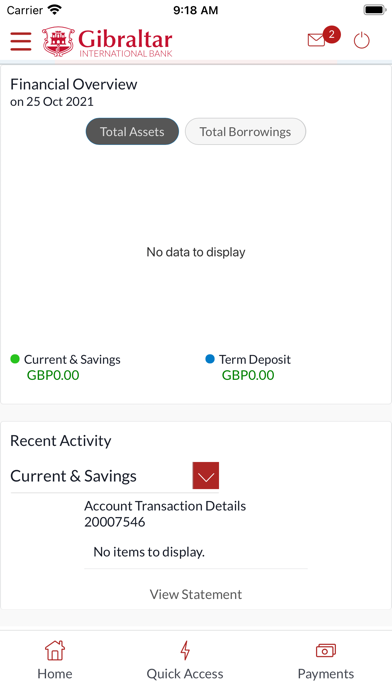
How to Register? In order to work the Gibraltar International Bank’s app on your iPhone/iPad, you will need the following: • A Gibraltar International Bank account. • An activated EBanking account with us. • Internet access. • Access to your Online Banking account. • Your Online Banking username and password. Features of this app: 1.Two Factor Authentication. 2.Biometric Login. 3.Manage Payees. 4.Setup and manage your Standing Orders and Deposits. 5.Transfer funds to a new beneficiary on-the-go. 6.Make Domestic, International and Internal Transfers. 7.Transfer funds between your GIB accounts. 8.Check your account balance. 9.Access your account details. 10.Set up and manage your standing orders. 11.Set up and manage your term deposits. 12.Open additional current and savings accounts. 13.Review your loan accounts. 14.Password re-sets. 15.Transfer funds to a new beneficiary on-the-go. Important things you need to know, 1.Ensure you are using the most updated version of the app. 2.User Manuals on how to navigate through your mobile banking app can be found on our website www.gibintbank.gi 3.You will need to ensure you have registered your mobile number with the Bank as you will need this to receive your One Time Password (‘OTP’) when logging in. Contact If you have any issues with the Mobile Banking app installation process please don’t hesitate to contact us. Telephone : +350 200 13900 Email : gibraltar@gibintbank.gi
Latest release
What’s New
Updates Bugs and Fixes
Audience growth
Ratings growth
Baseline captured. Growth appears after the crawler observes a changed rating count.
Momentum comes from crawler snapshots for the tracked storefront. “Viral growth signal” means unusually fast recent rating gains; it is an indicator, not download data.
Price tracking
Price intelligence
First snapshot captured. The trend line starts after the next crawler price observation.
- First observed Aug 28, 2026 · 9:17 AM Free
Screenshots