About this app
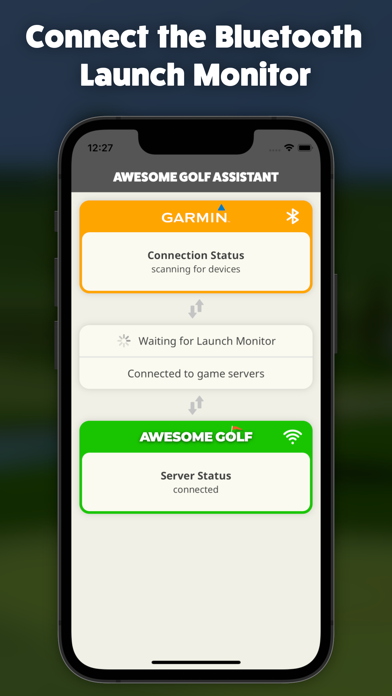
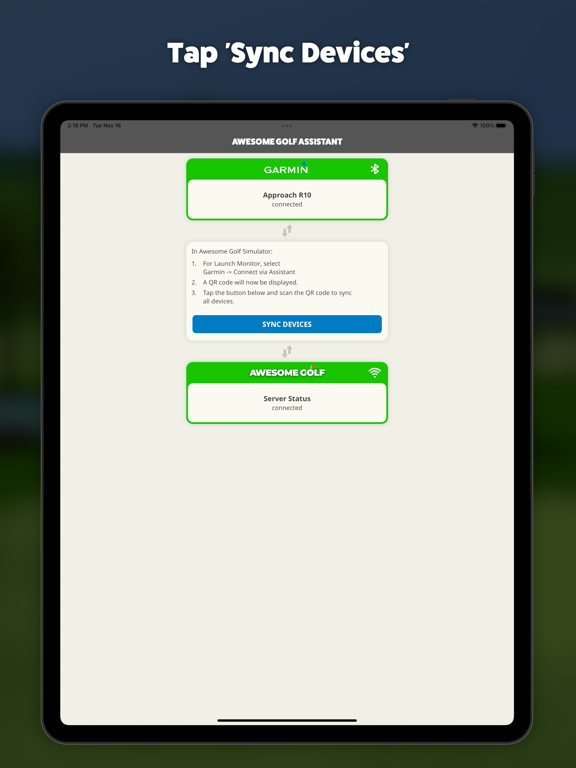
Awesome Golf Assistant enables users to connect supported Bluetooth Launch Monitors with Awesome Golf Simulator, where the latter is running on a device that may not have Bluetooth, or which users may not want to pair with their Launch Monitor. This app will connect to a supported Bluetooth Launch Monitor and communicate all its data to Awesome Golf Simulator, over an internet connection. Simply run the app, switch on your Launch Monitor and connect. Load up Awesome Golf Simulator on another device, select your Launch Monitor connection method as 'Assistant', to display a QR code. Sync the two devices by tapping 'Sync Devices' in this app, scan the QR code and you're all set; Awesome Golf Simulator is now connected to your Launch Monitor and ready to track golf balls! Supported Launch Monitors: - Garmin Approach R10 - Rapsodo MLM2PRO
Latest release
What’s New
Updated to support latest version of Awesome Golf Simulator (v3.9.0+)
Audience growth
Ratings growth
Baseline captured. Growth appears after the crawler observes a changed rating count.
Momentum comes from crawler snapshots for the tracked storefront. “Viral growth signal” means unusually fast recent rating gains; it is an indicator, not download data.
Price tracking
Price intelligence
First snapshot captured. The trend line starts after the next crawler price observation.
- First observed Sep 16, 2026 · 10:26 AM Free
Screenshots