About this app
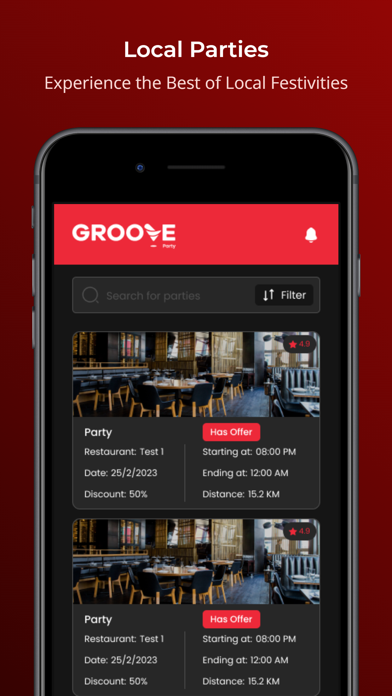
GrooveParty Partying made it easy! GrooveParty helps you browse, create, and organize all kinds of parties. With its user-friendly interface, it enables any age group to use the app at their own ease. How does it work? Browse and choose: “Public Party” gives you many events happening around the city to choose from. Be it a DJ night, a music concert, a karaoke night or even a stand up comedy, it’s just a click away. Browse -> Choose -> Groove Create your own Private Party: “Private Party” allows you to create your own party and share the invite with your close ones. Be it your birthday party, anniversary, corporate events or that awaited reunion with your friends and family, just Groove it. Click on “Private Party” and then on the “+” icon on top and choose your preferred place and time and share a Groove invite with your guests and it’s done. You can also keep a track of who’s coming and who’s not. Reserve a table: Going out for lunch, or dinner or do want to hang out with friends over breakfast? Groove has your back. With the “Reserve table” option, browse for restaurants and cafés near you and book a table at your preferred time. Event managing made easy: Are you an event manager or a party organizer struggling with sharing party details and managing a guest list for an upcoming event? Keep calm and breathe… GrooveParty is here to help you out. Login as “Event Manager”, Click on that “+” icon, fill in your event details, preview your invitation and share it with your guest list in just a few clicks. Keep track of your events with “live” and “history” sections What are you waiting for? Download the app and keep on Groovin
Latest release
What’s New
Added group share feature
Audience growth
Ratings growth
Baseline captured. Growth appears after the crawler observes a changed rating count.
Momentum comes from crawler snapshots for the tracked storefront. “Viral growth signal” means unusually fast recent rating gains; it is an indicator, not download data.
Price tracking
Price intelligence
First snapshot captured. The trend line starts after the next crawler price observation.
- First observed Aug 13, 2026 · 3:22 AM Free
Screenshots