About this app
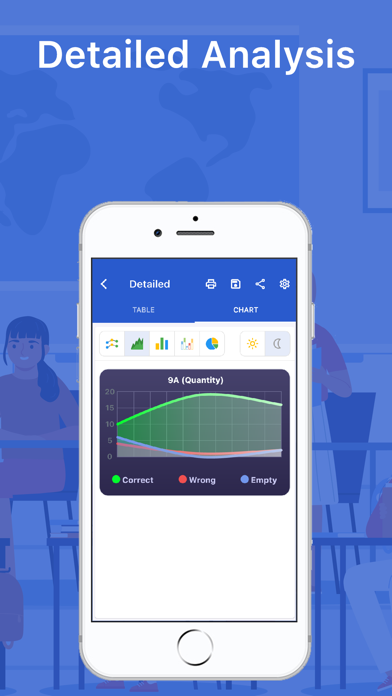
Designed for teachers, Test Plus turns your iPhone and iPad into a fast and reliable optical mark recognition (OMR) scanner. Simply show the answer sheet to the camera and instantly see scores, correct/incorrect answers, net values, and detailed charts. Export results as PDF, Excel, CSV, or TXT and share with parents in one tap. WHY TEST PLUS? • Speed – Cut grading time from minutes to seconds. • Accuracy – Reduce optical reading errors. • Clarity – Transparent results with charts and clear report cards. • Flexibility – Works with 3/4/5-option exams and multi-subject tests. • Sharing – Instantly send results via WhatsApp or email. HIGHLIGHTED FEATURES • Instant Scanning – Scan bubble sheets and view scores immediately. • Visual Analytics – Charts for correct/wrong answers, percentages, and trends. • Student Report Cards – Detailed performance reports at a glance. • Progress Tracking – Compare exams and monitor student improvement. • Easy Editing – Quickly correct student names, numbers, and fields. • Class & Student Management – Organize classes directly in the app. • Multi-Subject Support – One form can include multiple subjects. • Offline Mode – Scan and grade even without internet. • Export Options – Generate reports in PDF, Excel, CSV, or TXT. WHO IS IT FOR? • Teachers and schools conducting exams • Tutoring centers and private courses • Institutions that need fast and objective grading PRIVACY Camera access is used only for scanning answer sheets. Your data is never shared with third parties without your consent. Privacy Policy: http://egitimyazilim.com/privacypolicy/testplus/privacy_policy_ios.html SUBSCRIPTION INFORMATION • Test Plus offers auto-renewable subscriptions (Monthly/Yearly). • Subscriptions renew automatically unless canceled at least 24 hours before the end of the current period. Renewal fees will be charged to your Apple ID account. • You can manage or cancel anytime in Settings > Apple ID > Subscriptions. • Prices may vary by region. If a free trial or promotion is offered, the plan becomes paid once the trial ends. Terms of Use (EULA): https://www.apple.com/legal/internet-services/itunes/dev/stdeula/ Privacy Policy: http://egitimyazilim.com/privacypolicy/testplus/privacy_policy_ios.html SUPPORT Questions? Contact us at: egitimyazilim.com@gmail.com
Latest release
What’s New
Newly Added Features • Added the ability to pin the device to the camera screen. Adjustments • The achievement and achievement analysis fields in the student results report have been adjusted. • The issue of duplicate reports occurring when attempting to share the report for top-performing students has been fixed.
Audience growth
Ratings growth
Baseline captured. Growth appears after the crawler observes a changed rating count.
Momentum comes from crawler snapshots for the tracked storefront. “Viral growth signal” means unusually fast recent rating gains; it is an indicator, not download data.
Price tracking
Price intelligence
First snapshot captured. The trend line starts after the next crawler price observation.
- First observed Aug 22, 2026 · 4:08 PM Free
Screenshots