About this app
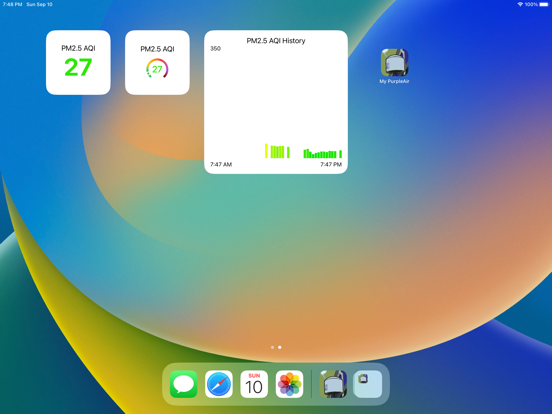
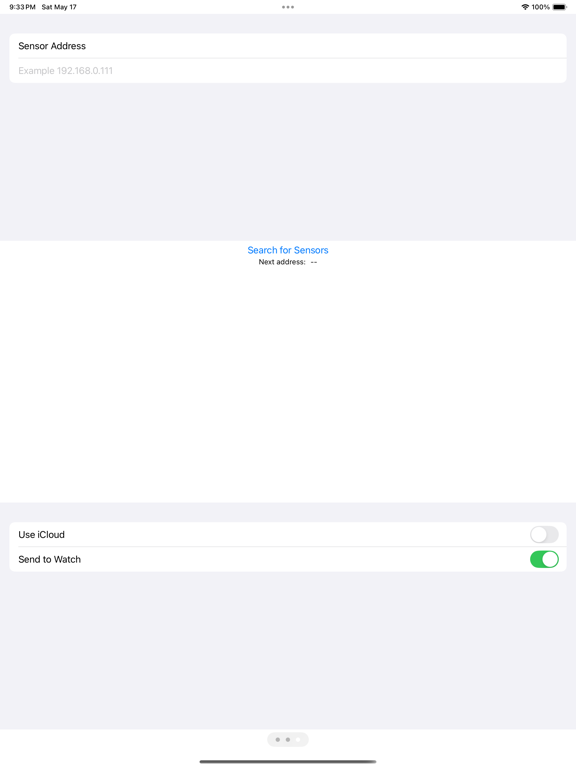
Monitor the AQI from your own PurpleAir sensor from your iPhone, iPad, or watch. Use the app's simple screen, or, add a widget / complication to your Home Screen / watch face.. This app can only monitor a sensor on the same LAN as the watch or companion phone. To setup: 1. Connect the app to the device. Use the device search, or enter your sensor’s IP address 2. Add a app’s complication or widget to your home page to watch faces. Data sharing between an iPhone/iPad and a companion watch: 1. The sensor address is shared both ways, 2. If one device has an address, but the other doesn't, then opening the app that doesn't have an address copies the address from the paired device. a. If the address doesn't copy within a minute, close the app on both devices and restart them. 3. Changing address on the phone changes the address on the watch. a. Changing the address on the watch does not change the phone, UNLESS the phone doesn't have an address. 4. The latest sample is sent from the phone to the watch, if the watch is in range, regardless of addresses. Air quality details: The app shows the PM2.5, "120 second average refreshed every 10 seconds" on the sensor's built in web page. It averages the A and B channels. Specifically, the pm2.5_aqi and pm2.5_aqi_b fields from the json API. You can see same numbers by pointing a browser at http://device_address/json The app updates the AQI approximately every 15-20 minutes, or when you open the app or restart your watch. It can take a long time to update widgets/complications when reconnecting to a network. On iPhone/iPads with iOS version 16.4 or higher installed, the app is refreshable, that is, pulling down on the screen forces everything to refresh. NOTICE: This app is not a product of PurpleAir, Inc.
Latest release
What’s New
More bug fixes. Traduction française.
Audience growth
Ratings growth
Baseline captured. Growth appears after the crawler observes a changed rating count.
Momentum comes from crawler snapshots for the tracked storefront. “Viral growth signal” means unusually fast recent rating gains; it is an indicator, not download data.
Price tracking
Price intelligence
First snapshot captured. The trend line starts after the next crawler price observation.
- First observed Sep 4, 2026 · 6:34 AM Free
Screenshots