About this app
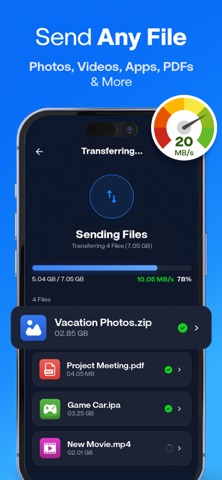
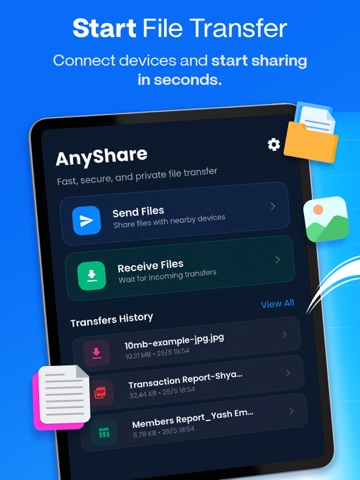
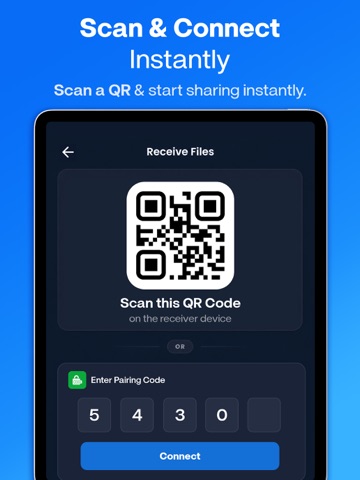
File transfer app. Share me, an easy share app to send anywhere. Data transfer and share files to TV and other devices. Share nearby. Are you tired of using complex file transfer apps that does not work after hours of trying? Will you like to experience hassle free file sharing app to send files instantly to friends and family? In that case, this file sender app is your best friend. AnyShare is aware how difficult it can be to rely on a stable Internet connection or waiting for hours just to send some bulky files. All the issues that you have ever faced with sharing files are about to disappear with the help of this file sharing app. File sharing was never this swift and reliable! Try Anyshare – Rapid File Transfer, Share Files now! File Sharing Made Easy Gratify all your transfer apps needs through one app! By installing this file sender app you can instantly send files of all formats and all sizes, to any platform, no matter whether you have an Internet connection or not. Plus, the share apps automatically searches for receivers in your vicinity - easing your troubles further. Whether you are switching to a new device or looking to share files with friends and family, this platform has got you covered. Share Videos, Photos & More Gain full control on your productivity by sharing anything, anywhere. No need to convert your files to another mode as this app supports all types of files. Whether it is text, videos, images, or simple files, the user will face no complications in sending them. This means you don’t need multiple data transfer apps for each file type! Instant Connectivity – No WiFi Needed Talk about convenience! Stop worrying about the slow WiFi connection before sharing important files. Share music, transfer videos without any hindrance of internet. Simple QR connect to start sharing heavy files across platforms. All you need to do is select the files that you want to share from the phone and use the file sender to complete the transfer. Send to Mobile to Mobile or Mobile to Pc Are you confused whether you can send files to a friend using different OS? That is hardly a problem for these type of incredible share apps. The file sender app supports not only Mobile, but PC as well! This is why you don’t need other file sharing apps. Features of Anyshare – Rapid File Transfer, Share Files • Send files of various types without any hassle • 100% free photo transfer to transfer videos and photos • Share music without the need for Wifi • Fast and uncompromising transfer apps speed. • Bulk file transfer allows you to share maximum stuff in no time. • Supports cross platform to send to a different operating system • Seamless transfer to share docs, photos, videos and more. • View your history of file sharing. AnyShare sets itself apart from other share apps in the market by offering perks over perks. So, what are you waiting for? Download Anyshare – Rapid File Transfer, Share Files Now. Privacy Policy: https://technozer.com/anyshare/privacy Terms of Use (EULA) : https://technozer.com/anyshare/terms
Latest release
What’s New
- Bugs Fixing - Performance Improvement
Audience growth
Ratings growth
Baseline captured. Growth appears after the crawler observes a changed rating count.
Momentum comes from crawler snapshots for the tracked storefront. “Viral growth signal” means unusually fast recent rating gains; it is an indicator, not download data.
Price tracking
Price intelligence
First snapshot captured. The trend line starts after the next crawler price observation.
- First observed Aug 15, 2026 · 7:12 AM Free
Screenshots