About this app
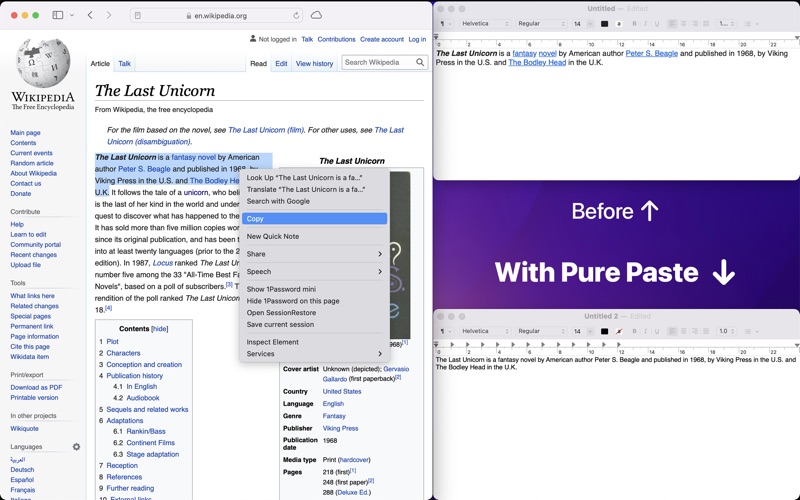
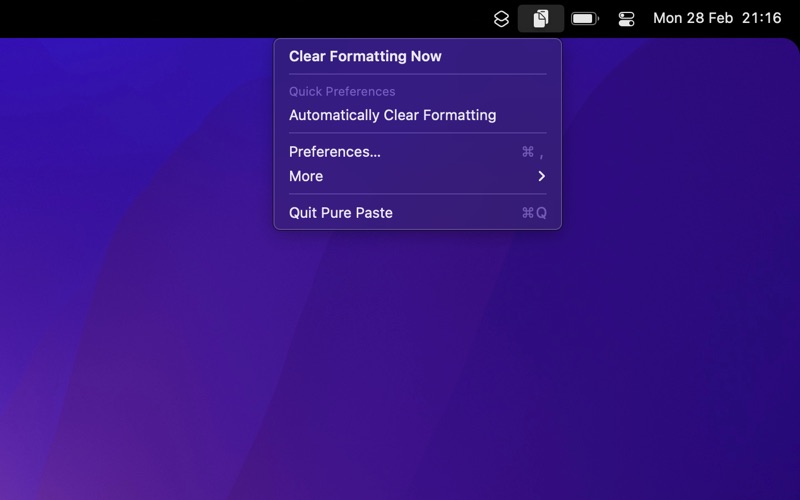
How many times have you pasted some text into an email and ended up with a mess of different font sizes? Pure Paste lets you paste as plain text by default. It sits in the menu bar and clears formatting (fonts, colors, bold, links, tables, etc.) from the text you copy. However, it does not touch unrelated content like files, images, etc. It also ignores content copied from password managers. You can also choose to manually clear formatting whenever needed instead of automatically. ■ Features - Automatically clears formatting - Hide menu bar icon - Exclude certain apps - Optionally preserve links - Remove tracking parameters from URLs - Remove invisible characters (zero-width spaces, AI watermarks, etc.) - Remove footnote references (like [1] and [a]) - Normalize quotes, newlines, and lists - Launch at login - Right-click menu bar icon to toggle automatic mode or clear formatting - Shortcuts support ■ Remove tracking parameters Pure Paste supports 200+ common tracking parameters (e.g. Google UTM) and it has special support for removing tracking from links to Twitter, Facebook, and TikTok. ■ Bonus If you have enabled the setting to remove tracking parameters from URLs when copying, the app also resolves some URLs to popular services offline whenever possible to improve the speed of opening links later on. These websites often add useless redirects when you copy links. For example, it can rewrite URLs like youtube.be, l.facebook.com, safelinks.protection.outlook.com, google.com/url?=…, etc, to its final destination. ■ FAQ ‣ Why not just use the “Paste and Match Style” menu item or “⌥⇧⌘V”? - That menu item is not available in all apps. - The keyboard shortcut is hard to remember and type. - This app can exclude certain apps, preserve links, and also remove tracking parameters from URLs. ■ Privacy The app accesses your clipboard but does not store or send it anywhere. It is not even able to connect to the internet due to self-imposed restrictions that are enforced by macOS (no network entitlement). ■ Support You can contact me through the feedback button in the app.
Latest release
What’s New
- Bug fixes.
Audience growth
Ratings growth
Baseline captured. Growth appears after the crawler observes a changed rating count.
Momentum comes from crawler snapshots for the tracked storefront. “Viral growth signal” means unusually fast recent rating gains; it is an indicator, not download data.
Price tracking
Price intelligence
First snapshot captured. The trend line starts after the next crawler price observation.
- First observed Aug 6, 2026 · 7:51 AM $4.00
Screenshots