About this app
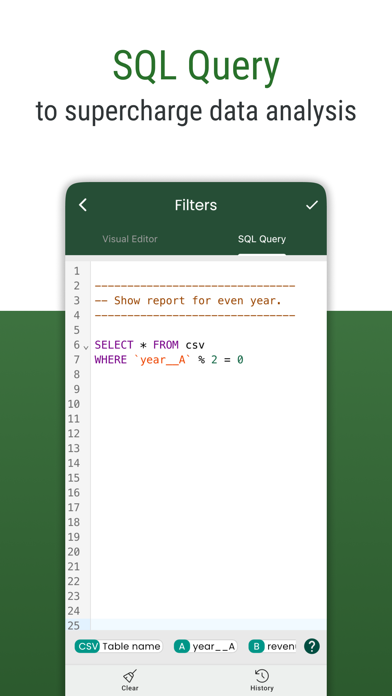
More than a basic csv reader, it's your comprehensive CSV file explorer. Uncover all this with Smart CSV Viewer: - Easy to view your CSV files. (Support both csv - comma/tab - tsv files format) - Use AI Assistant to query CSV content. - Show column image URL as an image. - Query your CSV by using SQL query. - Create chart from csv data. - Convert to pdf file. A CSV file can be custom data and style to convert to a pdf file as you want. - Manage all the exported files and share them with your friends. - Easy to filter with Visual filter. - Easy to search your content. - Copy the selected rows. - and more. # FAQ - Q: Which chart types are supported? - A: Currently, Smart CSV Viewer support column chart, bar chart, line chart, area chart, spline chart, scatter chart, step line chart, and step area chart. --- - Q: What do you mean by “customizable”? - A: In Smart CSV Viewer you can custom as much as you can. For example, when you only want to copy a part of data in a row, you can use the “filter” feature to exclude it. You can extract data by column. When you export to a pdf file, you can custom the style (color scheme) to match your expectation. More than a CSV converter tool, now you can change the look of your pdf file by styling it. --- - Q: How to resize/change the column width? - A: You can resize the column width by using one of the following methods: - Long-press on the header, and then drag the resize indicator to change the column width. - Click on the resize icon. The resize dialog will appear, allowing you to set a specific column width value so that all columns will have the same width. Alternatively, you can enable automatic resizing, and the app will adjust the column size automatically. If you have any questions, don't hesitate to contact us: Email: imuosdev@gmail.com We hope you are more productive with Smart CSV! --- Terms of Use: https://mygems.app/term Privacy Policy: https://mygems.app/privacy
Latest release
What’s New
- Bug fixes and performance improvements. We hope you're loving Smart CSV. Tell us what you think by leaving a review! :)
Audience growth
Ratings growth
Baseline captured. Growth appears after the crawler observes a changed rating count.
Momentum comes from crawler snapshots for the tracked storefront. “Viral growth signal” means unusually fast recent rating gains; it is an indicator, not download data.
Price tracking
Price intelligence
First snapshot captured. The trend line starts after the next crawler price observation.
- First observed Aug 21, 2026 · 4:49 AM Free
Screenshots