About this app
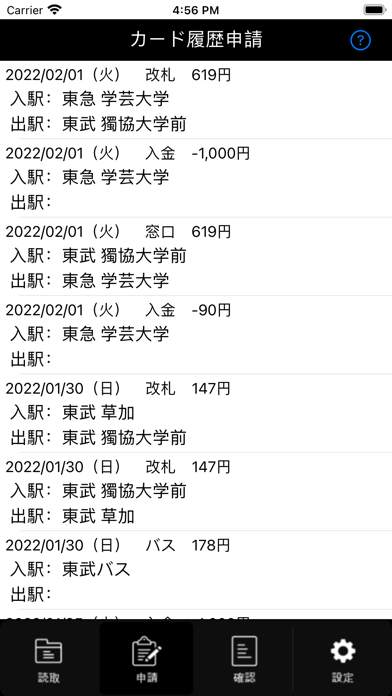
▼読み取ることができる情報 ・電車やバスなどの乗車履歴 ・チャージ履歴 ・自動販売機や売店などでの決済履歴 ▼使い方 1.アプリを起動します 2.設定アイコンをタップ → ID/パスワードを登録します(初回のみ) 3.読取アイコンをタップ → [スキャンを開始]ボタンを押して、ICカードをiPhoneの背面上部にかざします 4.利用履歴が表示されます 5.表示された利用履歴データをタップ → 行先や用途などの必要事項を入力し、[申請実行]ボタンを押します 6.確認アイコンをタップ → 申請後の状況確認ができます ▼対応カード 読み取りが行える対象のICカードは下記になります ・Suica、PASMO、ICOCA などの交通系ICカード
Latest release
What’s New
操作中に問題が発生した際のメッセージ表示を分かりやすく改善しました。
Audience growth
Ratings growth
Baseline captured. Growth appears after the crawler observes a changed rating count.
Momentum comes from crawler snapshots for the tracked storefront. “Viral growth signal” means unusually fast recent rating gains; it is an indicator, not download data.
Price tracking
Price intelligence
First snapshot captured. The trend line starts after the next crawler price observation.
- First observed Aug 19, 2026 · 9:24 PM Free
Screenshots