About this app
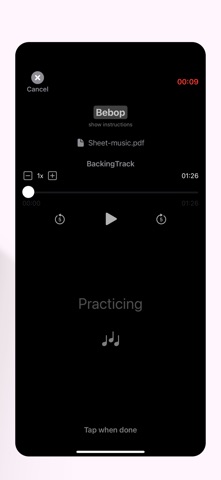
Your humble music notebook, with a few extras... - When your teacher uses the MiLaDo software suite, by default you will connect in Lite mode - which is great for most students to access essential info such practice instructions. However there may be instances where some advanced collaboration features will be helpful (for remote teaching, practice logging, etc). In that case, you may receive an invitation from your teacher to download the MiLaDo Student app to connect in App mode. The Student app was designed to allow multiple students to share a single device. A great feature for families. Getting started: ------------------------------------- Every student must receive an invitation from their teacher before being able to use the app. See the iOS video tutorial at https://www.milado.app/student * Free for Students * Supports different spaces for multiple teachers (or a same teacher giving lessons for multiple instruments) * Dark mode support * Voice control for visually impaired users (enable in Settings > Accessibility) * Data is automatically synchronised between devices under the same account * runs on Mac (M-series), and any iPhone and iPad running iOS 16 or later * older devices and other platforms are supported via Lite mode student access (default mode for all students) Data is stored privately in secure containers only you and your teacher have access to. The storage space is provided by your teacher. Therefore your personal iCloud quota is not affected. Enjoy!
Latest release
What’s New
* performance & stability improvements
Audience growth
Ratings growth
Baseline captured. Growth appears after the crawler observes a changed rating count.
Momentum comes from crawler snapshots for the tracked storefront. “Viral growth signal” means unusually fast recent rating gains; it is an indicator, not download data.
Price tracking
Price intelligence
First snapshot captured. The trend line starts after the next crawler price observation.
- First observed Aug 28, 2026 · 11:20 AM Free
Screenshots