About this app
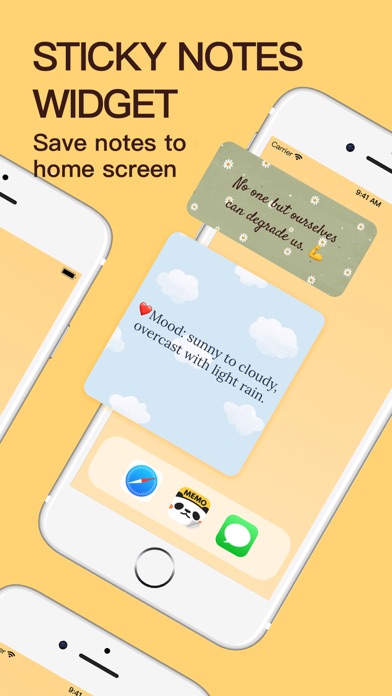
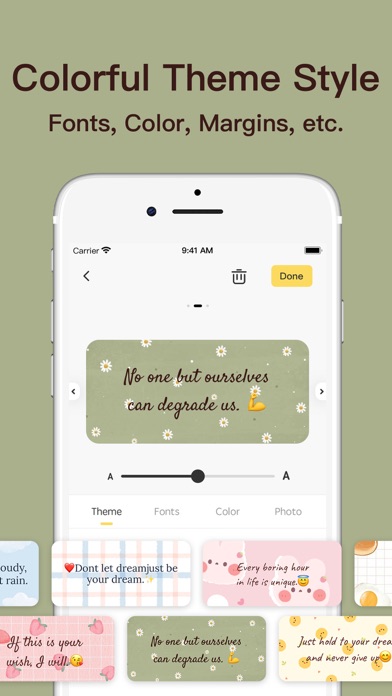
Memo Widget is a cute sticky notes app that focuses on memos and To-Do list to remind you of things. You can quickly display your memos, schedule, reminders, checklist, plans, diary and more on your iPhone & iPad home screen by Memo Widget. ■ CREATE NOTES TYPE Text Notes: Live view text editing effect, multiple font styles are available. To-Do List Notes: Record daily tasks one by one, and easily check the lists. ■ MAKE CUTE NOTES A variety of cute styles of note paper, use photos as the background to decorate the memos. ■ CUSTOMIZE MEMO WIDGET Select three widget sizes arbitrarily, it can customize fonts, size, color, alignment and background. ■ COLORFUL THEME STYLE Well-Designed multiple notes and checklist theme styles, simple and easy to use. ■ Auto Backup & Restore Auto Backup and Restore your application data on iPhone & iPad device by iCloud. Now you can use AirDrop to share backup files to the nearby iOS device. ■ NOTEPAD PREVIEW Switch the list-view, gallery-view and full-view to show the memo in homepage. Support the Dark Mode. ■ Q&A # HOW TO ADD WIDGET? 1. Go to the iPhone & iPad home screen and long press the screen. 2. Tap the "+" button in the upper-left corner, and find the Memo Widget App. 3. Select a widget, choose from three widget sizes, then tap Add Widget. # HOW TO SHOW MEMO NOTES? 1. Long press the memo widget on home screen, then tap Edit Widget. 2. Choose a memo notes to show you want. Please share if you have any issues or suggestions! Email: memowidget@outlook.com Privacy Policy: https://meetfire.wixsite.com/memowidget/privacy Terms of Use: https://meetfire.wixsite.com/memowidget/terms EULA: https://www.apple.com/legal/internet- servers/itunes/dev/stdeula/
Latest release
What’s New
Fixed other known bugs and optimized product design.
Audience growth
Ratings growth
Baseline captured. Growth appears after the crawler observes a changed rating count.
Momentum comes from crawler snapshots for the tracked storefront. “Viral growth signal” means unusually fast recent rating gains; it is an indicator, not download data.
Price tracking
Price intelligence
- First observed Aug 20, 2026 · 2:34 AM Free
Screenshots