About this app
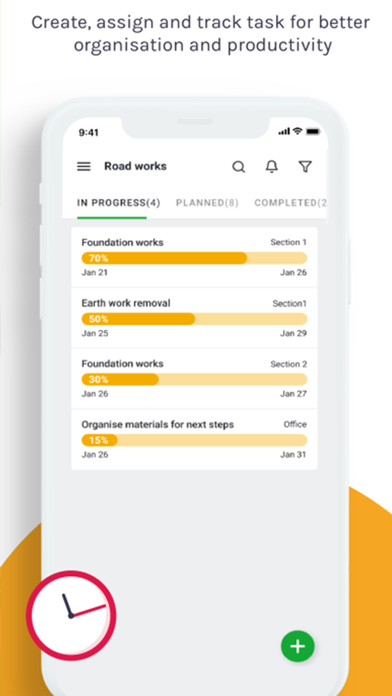
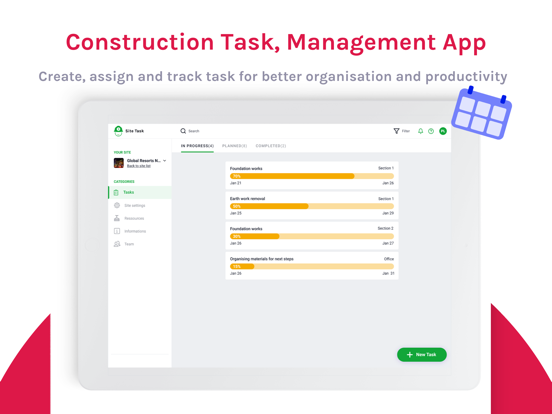
Scheduling, assigning and executing construction tasks hasn’t been simpler ! Your construction teams will be equipped with all the information they need to perform their task of the day. They will be able to create, assign and track your construction site tasks to deliver construction projects successfully. With Site Task construction professionals can coordinate efficiently, track performance and reduce risk. It brings clarity and eliminates confusion in daily construction work and routine by showing a well-defined list of tasks with start, end dates, and deadlines. Construction sites or fields can be messy and complex. That is why Site Task is built for the field. It makes it easy for engineers, contractors and foremen to stay on top of things and optimize their work for the next few weeks. Construction timelines can be uncertain. So Site Tasks brings more predictability of work to be done across different trades. In short, Site Tasks gets the work done with less email and no paperwork. Site Task offers many features and benefits for construction companies. For example: Schedule and assign tasks and get them done - Create and assign tasks in advance - Assign tasks to multiple people - Update info about construction progress - Save time by using prefilled lists or existing info - Automatically record all activities in the diary Easily move around the construction site to execute the tasks - Quickly see all the tasks assigned to you on your smartphone - Create and assign task in seconds on the go - Check tasks that are pending approval - Receive notifications about the status of the task - Track automatically the time spent on a construction task Get a big picture of your tasks from the timeline view - Clear overview of your ongoing, completed and over-due tasks - Complete picture of who is doing what and by when - Verify conflicts, constraints and issues between tasks and immediately resolve them - Calculate the productivity rate - Export your progress reports in pdf format
Latest release
What’s New
- New branding - Update icons
Audience growth
Ratings growth
Baseline captured. Growth appears after the crawler observes a changed rating count.
Momentum comes from crawler snapshots for the tracked storefront. “Viral growth signal” means unusually fast recent rating gains; it is an indicator, not download data.
Price tracking
Price intelligence
First snapshot captured. The trend line starts after the next crawler price observation.
- First observed Aug 19, 2026 · 1:50 AM Free
Screenshots