About this app
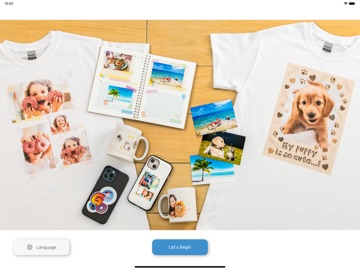
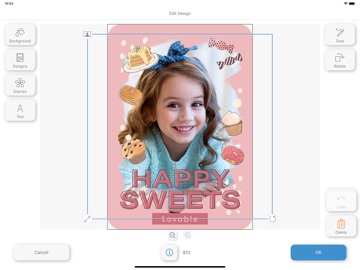
Epson Craft Designer is an ordering application for the photo goods creation service. It runs on an iPad installed in the store and is used by customers who visit the store. Epson Cloud Solution PORT user registration is required to use Epson Craft Designer. (A subscription to the optional, paid job management system “Production Flow” is also required. [How to use Epson Craft Designer for store employees] - Start Epson Craft Designer and click “Login” to log in to Epson Cloud Solution PORT. - Click “Start” to start the service. [How to use the service for customers who visit our stores] - Agree to the terms and conditions to start using the service. - Select an item, choose a design, and choose a photo to apply to the design. (Photos can be imported from the customer's smartphone. - Check the finished image and edit the design if necessary. - Add the items to your cart. If there are more items you want, repeat the steps after selecting items. - When you have all the items you want, click “Order”. [Main functions for store employees] - Log in to Epson Cloud Solution PORT (launch browser) - Update store information (load information set in Epson Craft Designer Admin) [Main functions for customers visiting the store] - Listing and selection of items - Listing and selection of designs - Importing photos from mobile phones and applying photos to designs - Confirmation of finished image and design editing - View a list of items to order and place an order [Notes] - Epson Cloud Solution PORT user registration is required. (Also, a subscription to the optional “Production Flow” service is required. - Items to be handled by the store are managed using “Epson Craft Designer Admin”.
Latest release
What’s New
- Fixed minor bugs.
Audience growth
Ratings growth
Baseline captured. Growth appears after the crawler observes a changed rating count.
Momentum comes from crawler snapshots for the tracked storefront. “Viral growth signal” means unusually fast recent rating gains; it is an indicator, not download data.
Price tracking
Price intelligence
First snapshot captured. The trend line starts after the next crawler price observation.
- First observed Aug 10, 2026 · 6:07 PM Free
Screenshots