About this app
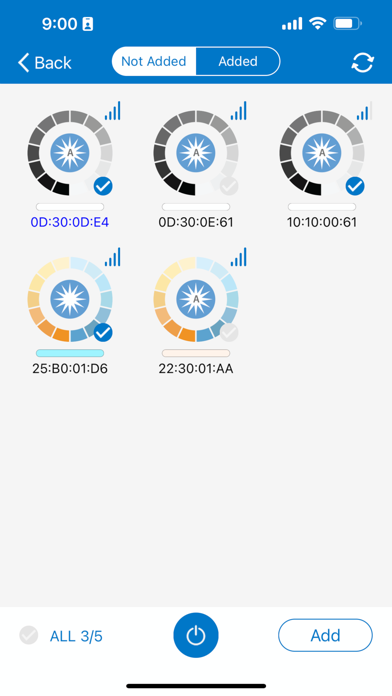
NICOR's Network Lighting Controls (NLC) is a Bluetooth Mesh Lighting Control System. The NLC lighting control network is comprised of various NLC enabled luminaires including the following components: - PIR Occupancy Sensors - PIR Daylight Sensors - Load Controllers - Power Packs - Wall Control Switches - Mesh System Nodes Each component utilizes Bluetooth Low Energy (BLE) Mesh to remotely control and operate compatible luminaires. Scale up from individual luminaires to groups, zones, and entire establishments. The NLC system can control up to 100 luminaires per zone across multiple rooms. Manage controls and luminaires directly from the app with integrated features: - Define and Control Groups and Zones - Create and Manage Scenes - Adjust Occupancy/Vacancy Settings - Utilize Daylight Harvesting - Control Task Tuning/High-End Trim Settings - Set and Define Schedules - Monitor Energy Usage - Integrated DLC NLC5 Encrypted Security - Share Access Simply via QR Codes To learn more about NICOR NLC and view a full list of components and NLC enabled luminaires, visit https://nicorlighting.com/network-lighting-controls/
Latest release
What’s New
New Features • Added support for quickly creating scenes. • Added a Flashlight Reset function to the More page. • Added Daylight Harvesting (DLH) settings and Manual Off Timeout settings to the sensor settings page. Improvements • Hid the T2 interface for photocell-type fixtures. • Updated naming input rules for lights, groups, and other objects to improve multilingual support. Bug Fixes • Fixed an issue where an Area Sensor could not be reassigned to a different group after a power cycle. • Fixed an issue where changes made while editing a template were not discarded after tapping Cancel. • Updated power input validation to allow a value of 0 for all supported device types. • Standardized ON/OFF labels on switch buttons to uppercase. • Fixed an issue where the AC PIR Wall Switch and AC Dual Tech Wall Switch could not control their assigned groups after the assigned group was deleted until they were reconfigured. • Fixed an issue where the brightness of individual lights could become inconsistent with the linked group brightness after configuring an Area Sensor. • Fixed an issue where deleting a timer from a template could not be canceled. • Fixed the display order of timer-related messages when applying a template.
Audience growth
Ratings growth
Baseline captured. Growth appears after the crawler observes a changed rating count.
Momentum comes from crawler snapshots for the tracked storefront. “Viral growth signal” means unusually fast recent rating gains; it is an indicator, not download data.
Price tracking
Price intelligence
First snapshot captured. The trend line starts after the next crawler price observation.
- First observed Aug 20, 2026 · 4:34 AM Free
Screenshots