About this app
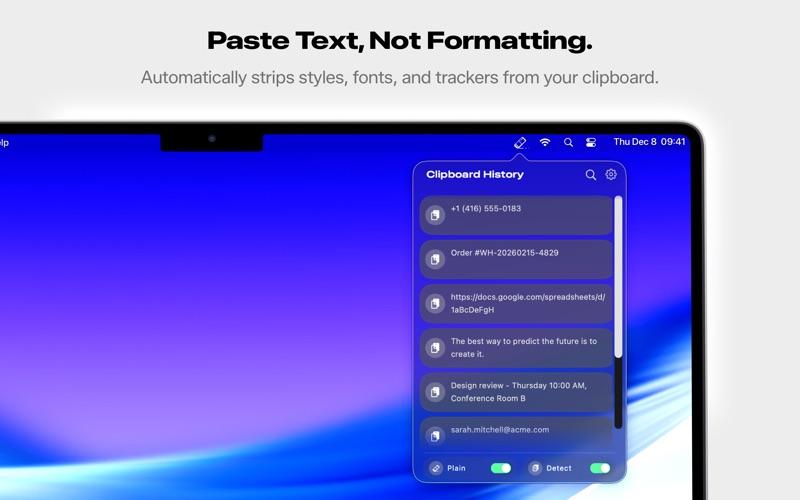
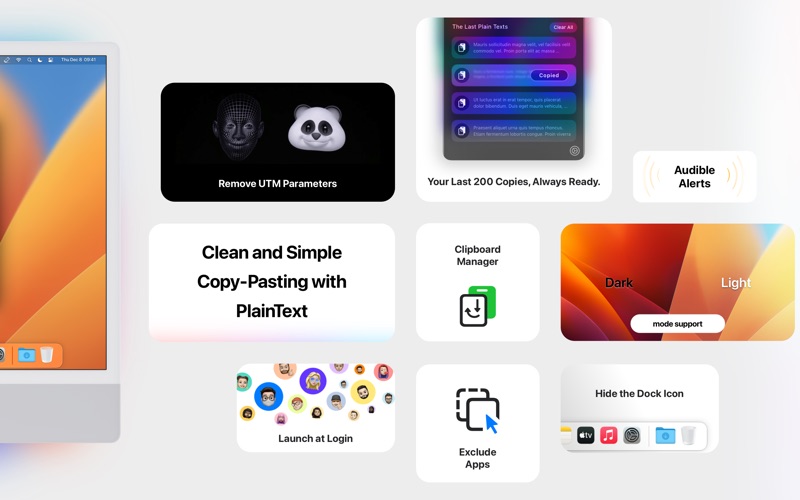
PlainText is a macOS menu bar utility that automatically strips formatting from everything you copy, removes tracking parameters from URLs, and maintains a searchable clipboard history. It works silently in the background, ensuring every paste is clean plain text without manual intervention. Automatic Format Stripping When you copy styled text from websites, Word documents, PDFs, or emails, PlainText instantly removes all formatting attributes including fonts, colors, sizes, bold, italics, links, and embedded styles. The text arrives as pure, unformatted content matching your document's existing style. RTF and HTML structures are completely eliminated. UTM Tracking Removal PlainText recognizes and removes over 200 UTM tracking parameters from URLs you copy. Marketing links filled with utm_source, utm_medium, fbclid, gclid, and other tracking codes are automatically cleaned. Share links with colleagues without exposing where you came from. The cleaned URLs are shorter, more readable, and respect your privacy. Clipboard History Every item you copy is saved to a searchable history containing your last 200 clipboard entries. Access the history through the menu bar icon or detachable panel. Type to search through previous copies instantly. Lost something you copied an hour ago? It is still there. The history persists across app restarts. Detachable Panel The clipboard history panel can be detached from the menu bar and positioned anywhere on your screen as a floating window. Use a flick gesture to snap the panel to any screen edge where it docks neatly. The panel remembers its position between sessions, letting you keep frequently used clipboard items visible while working. Menu Bar App PlainText lives in your menu bar, consuming minimal system resources. The menu bar icon provides instant access to clipboard history, preferences, and app controls. No dock clutter. No full-screen interface to manage. Just a simple, always-accessible utility that does its job without interrupting workflow. App Exclusion List Some applications require formatted text to function properly. PlainText includes an exclusion list where you can specify apps that should bypass automatic format stripping. When you copy from or paste into excluded applications, formatting is preserved. Who Is It For? Writers who copy research from websites into manuscripts. Developers who paste code snippets between editors. Marketers who share clean links without tracking baggage. Knowledge workers who copy content between documents daily. Anyone frustrated by formatting chaos when moving text between applications. Privacy All clipboard processing happens locally on your Mac. Nothing is sent to external servers. Your clipboard history is stored locally. No analytics, no tracking, no cloud sync, no account required. What you copy stays on your computer. Technical Details PlainText runs on macOS 10.13 High Sierra and later using native clipboard APIs for maximum compatibility. The app can launch automatically at login with optional sound notifications. Memory footprint is under 50MB with negligible CPU usage during idle periods. Usage Scenarios Copy a product description from a website and paste it into your spreadsheet without unwanted fonts. Copy a code snippet from Stack Overflow without embedded links disrupting your IDE. Share a news article URL without Facebook tracking parameters. Retrieve a customer email you copied two hours ago. Support Contact support through the app's menu bar icon or visit plain.tr for documentation and updates.
Latest release
What’s New
PlainText is now a full clipboard manager! • Clipboard history: 200 items instead of 4, search support, detachable panel • Format stripping and clipboard history can be toggled independently • Redesigned interface for macOS 26 • 200+ UTM parameter removal • Performance improvements and bug fixes
Audience growth
Ratings growth
Baseline captured. Growth appears after the crawler observes a changed rating count.
Momentum comes from crawler snapshots for the tracked storefront. “Viral growth signal” means unusually fast recent rating gains; it is an indicator, not download data.
Price tracking
Price intelligence
First snapshot captured. The trend line starts after the next crawler price observation.
- First observed Aug 7, 2026 · 11:02 PM $0.99
Screenshots