About this app
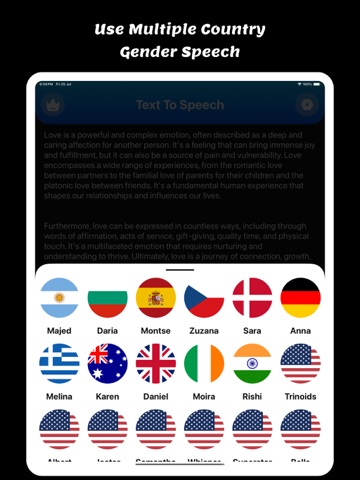
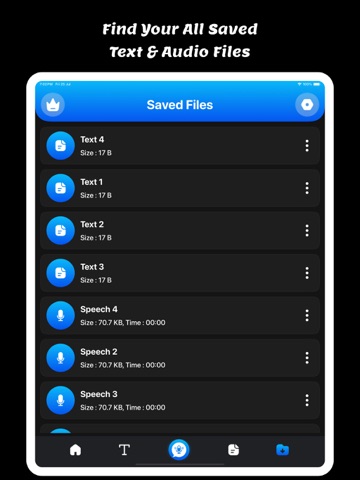
Welcome to Speech To Text: Voice Notes app. Convert speech, images, PDFs, and text seamlessly – all in one smart app! Unlock the power of your voice, images, and documents with Speech To Text: Voice Notes – the all-in-one tool that transforms the way you interact with content. Trusted by millions, continuous non-stop, and unlimited dictation. Battle-tested for years. For thinkers, bloggers, writers, drivers, joggers, busy people, and anyone who prefers fast & easy typing. Speech To Text: Voice Notes is easy to use. Users can easy to convert Speech to text and Text to Speech using a single click. Users can copy, share, print, and save files using a single click. Makes life easy - no more struggling to write down short or long texts. Unlike other voice-typing apps, Speech To Text: Voice Notes does not stop listening when you take a break to breathe or think. Incorporates a built-in keyboard so you can enjoy the ease of dictation for words and ease of tapping for punctuation & symbols. Designed to make writing fast and easy. Featured: The following features make Speech To Text: Voice Notes a powerful speech-enabled notepad, designed to empower your ideas and creativity: - Write short or long texts easily. Dictate hands-free for hours!, Speech To Text: Voice Notes will not stop even when you take longer breaks between sentences. - Fast, simple & light. - Supports offline - Speech to Text - Text to Speech - Share, export & print in one tap - Auto capitalization & spacing - Edit text, while still in dictation mode - no need to stop and restart Key Features: Speech to Text : Speak naturally and let the app transcribe your words instantly. Perfect for notes, ideas, or hands-free productivity. Text to Speech : Type or paste any text and hear it spoken aloud in a natural voice. Ideal for learning, multitasking, or accessibility. Image to Text (OCR) : Snap a photo or upload an image to extract text with high accuracy. Great for digitizing documents, signs, or printed material. PDF to Text : Easily import PDFs and convert them to editable, shareable text. Extract data from contracts, reports, or study materials in seconds. Download and enjoy the Speech To Text: Voice Notes. Privacy Policy: https://glistensolution.com/Apps/App_Privacy.html Terms of use: https://glistensolution.com/Apps/App_TOS.html
Latest release
What’s New
- Crashes Fixed - Performance Improved
Audience growth
Ratings growth
Baseline captured. Growth appears after the crawler observes a changed rating count.
Momentum comes from crawler snapshots for the tracked storefront. “Viral growth signal” means unusually fast recent rating gains; it is an indicator, not download data.
Price tracking
Price intelligence
- First observed Aug 11, 2026 · 7:54 AM Free
Screenshots