About this app
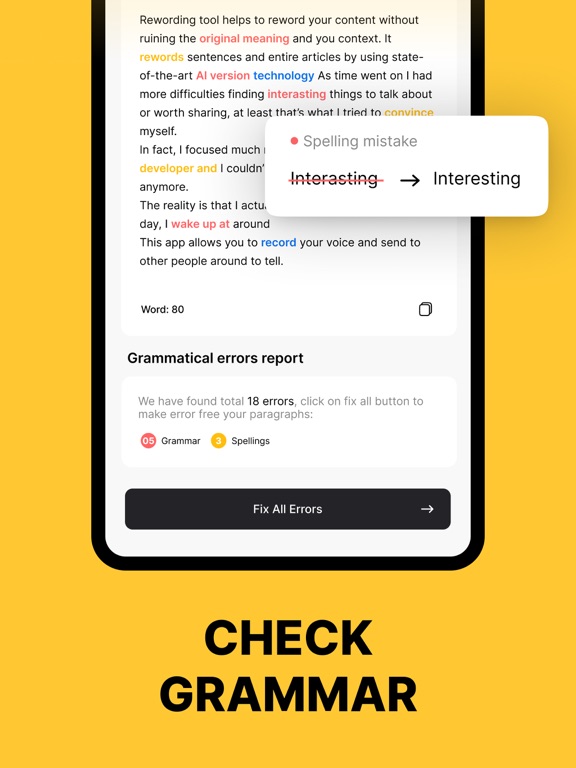
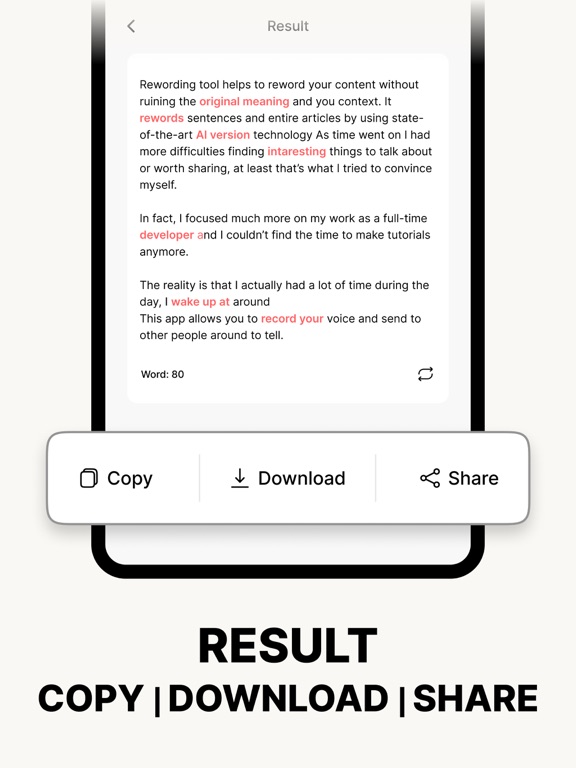
Use our Rewording tool to reword or rewrite your text, check grammar issues, and summarize long-form content. It is a helpful solution to improve your writing quality and workflow. What is the Rewording Tool App? Our Rewording Tool app is a simple-to-use app that can help you easily rewrite text and improve its quality. It uses advanced AI, LLM, and NLP algorithms to accurately rewrite every kind of text into unique and clear-to-read outputs. This rewording and rewriter app rewords content using different synonyms, words, and phrases without changing the original meaning. This rewriter app is integrated with two other AI-writing tools i.e., Text Summarize and Grammar Checker. Text Summarizer The Text Summarizer tool is designed to help users automatically generate a summary of any type of content. You can use it to summarize essays, blogs, theses, articles, and more. The summary making app uses technology to extract the key points of the original text and generate a high-quality summary around them. Grammar Check The Grammar Checker app tool is integrated to help users check and correct English grammar, spelling, and punctuation issues. When content is passed through the grammar check, it highlights all the spelling and grammar issues. After that, you can correct those issues with a single click. How to Use the Rewording Tool? To use the rewriter app, you need to follow these simple steps; ● Select one of our provided tool options i.e., Summarizer, Rewording, or Grammar Check. ● Enter your text in the input box by typing or copy-pasting. ● You can also upload a file from your system storage. ● Click on the “Reword”, “Summarize”, or “Check Grammar” buttons according to the tool you choose. ● Copy, Download, or “Share” the results. Key Features of the Rewording Tool Here are the prominent features of the Rewording Tool - Accurate Working The Rewording tool is equipped with sophisticated AI models to precisely rewrite, summarize, and grammar check any type of content. - Fast Working: One of the most beneficial features of this rewriter app is the super fast working mechanism. It barely takes a few seconds to correct spelling & grammar, rewrite content, and make a summary. - Multiple Writing Tools The Rewording tool offers multiple writing tools including Summarizer, Reworder, and Grammar Checker. - Rewording Tones The Rewording tool offers three different modes to reword or rewrite your content. These modes include; Reworder, Professional, and Formal. - Adjustable Summary Length Our Rewording tool’s Summarizer tool provides a length slide to set the summary length according to users' needs. - Summarizing Modes Another useful feature of the summarizing app is the two different summarizing modes i.e., Summarizer and Summarizer. - Check & Remove Grammar Mistakes: Our app’s Grammar check tool is handy to detect and correct spelling, grammar, and punctuation flaws. It provides useful suggestions and a one-click option to remove all the mistakes. - Language Support The rewriter app can support multiple languages including; English, Spanish, French, Portuguese, and Italian. Whether you are a student, marketer, professional blogger, or any other type of writer, our Rewording Tool is an ideal solution. It can help you promptly rewrite, summarize, and grammar-check sentences, paragraphs, essays, assignments, etc. Now, it's your turn to download the app and uplift your writing.
Latest release
What’s New
Update Rewording Tool! - New user interface with improved navigation and usability. - Resolved minor issues for faster load times. - Grammar Check Tool for Correcting Grammatical Errors. - A Summarizer tool is used for long texts in the summary.
Audience growth
Ratings growth
Baseline captured. Growth appears after the crawler observes a changed rating count.
Momentum comes from crawler snapshots for the tracked storefront. “Viral growth signal” means unusually fast recent rating gains; it is an indicator, not download data.
Price tracking
Price intelligence
First snapshot captured. The trend line starts after the next crawler price observation.
- First observed Sep 29, 2026 · 9:42 AM Free
Screenshots