About this app
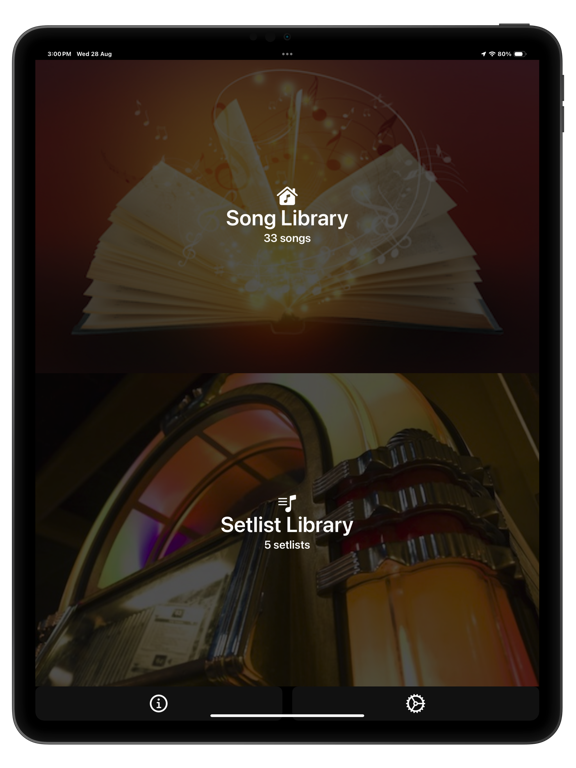
GigBag – Your Live Performance Companion Musicians, meet your ultimate gig assistant. From building your song library to crafting show-stopping setlists, GigBag keeps you organized, prepared, and performance-ready. Designed by musicians, for musicians, it’s the all-in-one app that makes playing live effortless. Two Powerful Modes – Song & Setlist Switch seamlessly between Song mode for library management and Setlist mode for performing, rehearsing, or auditioning your songs. Build Your Song Library in Minutes • Lyrics & Chords: Quickly paste from online sources with smart web search • PDF Import & Scan: Add sheet music from iCloud or your device camera • Apple Music Integration: Automatically import song details and artwork; play along with autoscrolling lyrics and chords - great for rehearsing. Perform Like a Pro • Dynamic Setlists: Select, reorder, and play songs effortlessly with autoscrolling lyrics • MIDI Support: Control your setlist hands-free • Edit, Audition, Play: Switch modes instantly for full flexibility Why Musicians Love GigBag • Streamlined setlist management saves time and stress • Keep lyrics, chords, PDFs, and tracks all in one place • Focus on your performance—not your prep Download the free demo to explore GigBag (with limitations) Upgrade anytime to access the full feature set — including MIDI — with your choice of a one-time Lifetime purchase or a Monthly/Yearly subscription, both offering a full-feature free trial. Learn more - watch the short GigBag video intro; https://www.gigbag.app/faq Privacy Policy & Terms: www.gigbag.app/privacy-policy
Latest release
What’s New
You spoke — we listened! Here’s what’s new: • Editing a song from a setlist just got faster: swipe left to right in the Setlist Select screen to jump straight to Song edit mode. • If a song has no text (like a PDF-only song), Tuning and Play screens now stay disabled — keeping things tidy. • Tap the Song text field for an expanded Song text edit area • The “Prompt” field got a visual upgrade for easier reading and editing.
Audience growth
Ratings growth
Baseline captured. Growth appears after the crawler observes a changed rating count.
Momentum comes from crawler snapshots for the tracked storefront. “Viral growth signal” means unusually fast recent rating gains; it is an indicator, not download data.
Price tracking
Price intelligence
- First observed Sep 15, 2026 · 12:20 PM Free
Screenshots