About this app
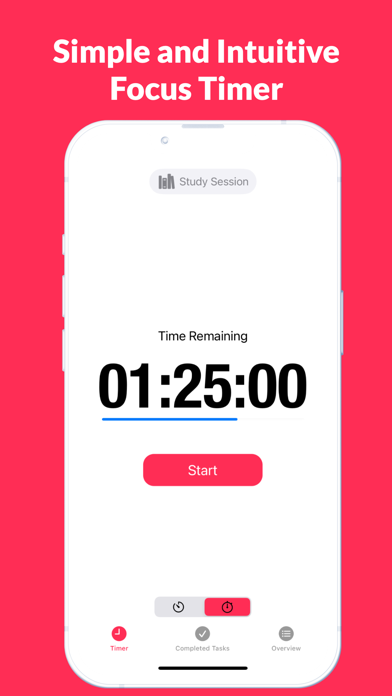
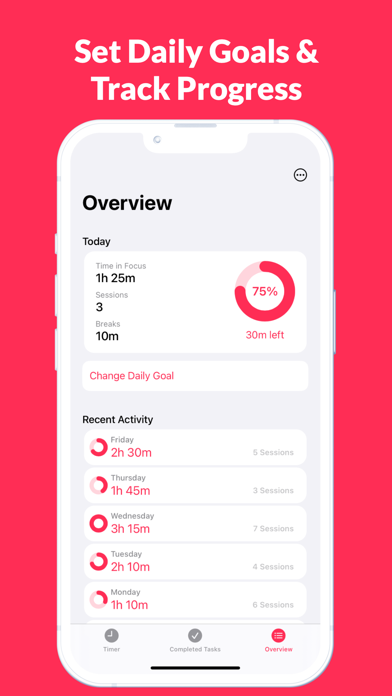
Introducing FocusTime - the ultimate tool for staying on task and boosting productivity! Our app helps you stay focused on specific tasks and projects by tracking the time you spend on them and providing insights into your daily progress. With the new daily goal feature, you can set goals and track your progress towards them, ensuring that you stay on track and achieve more. Whether you're a student, professional, entrepreneur, or just looking to increase your productivity, FocusTime has everything you need to achieve your goals. Here's how it works: Step 1: Download and open the FocusTime app. Step 2: Press the "Play" button when you start focusing on a specific task or project. Step 3: As you focus, the app will keep track of the time you spend on that task. Step 4: Press the "Pause" button when you need to take a break. Step 5: Press the "End session" button when you finish working on a task and want to start tracking a new one. Step 6: Set a daily goal to stay motivated and track your progress towards it in the "Overview" tab. Here, you can also see the number of sessions, focused time for the past seven days, and the number of breaks minutes for today. Step 7: The app also features a Countdown Timer mode, where you can set a specific time to focus on a task or project, and receive a notification when the time is up. With FocusTime, you'll be able to easily track your daily productivity, take breaks when needed, set daily goals, and stay motivated to achieve your objectives. Get started now and experience the difference in your productivity!
Latest release
What’s New
Bug fixes and performance improvements to make your experience even better.
Audience growth
Ratings growth
Baseline captured. Growth appears after the crawler observes a changed rating count.
Momentum comes from crawler snapshots for the tracked storefront. “Viral growth signal” means unusually fast recent rating gains; it is an indicator, not download data.
Price tracking
Price intelligence
First snapshot captured. The trend line starts after the next crawler price observation.
- First observed Sep 8, 2026 · 1:08 AM Free
Screenshots