About this app
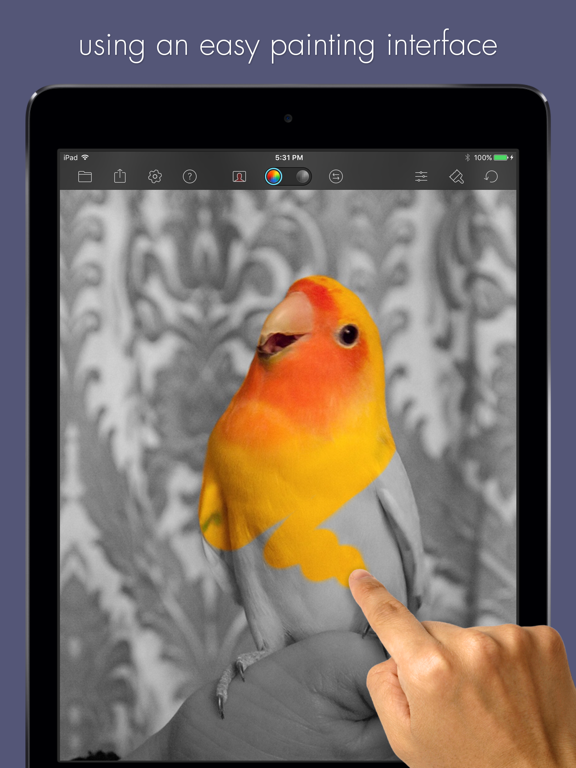
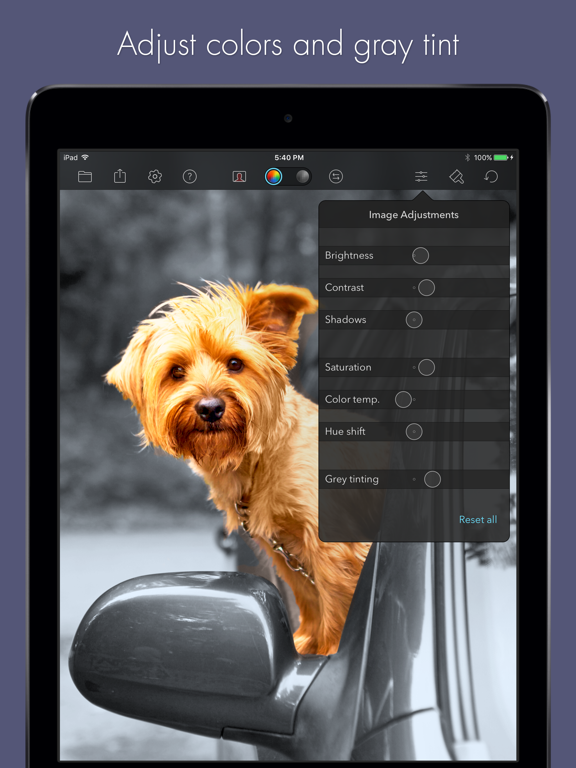
Color Splash™ lets you quickly and easily give photos a dramatic look by converting them to black and white, while keeping your chosen details in color. Use your finger as a brush to "paint" sections of your image black and white, or to bring back the original color. Zooming in and out using the two-finger pinching gesture allows you to work on details with pixel-accuracy. Features: - Share your edited images with friends via email or by uploading them to Twitter, Flickr or Dropbox. - Save multiple sessions to resume your work later. - Undo any number of accidental brush strokes. - Adjust brush properties such as brush size, softness and opacity. - An alternative view mode highlights the regions that will remain in color with a red tint. This makes it easier to see and adjust the boundaries between color and black & white regions.
Latest release
What’s New
Updated the app for iOS 18, adding dark and tinted variants of the app icon for your customized home screens and fixed a few minor issues.
Audience growth
Ratings growth
Baseline captured. Growth appears after the crawler observes a changed rating count.
Momentum comes from crawler snapshots for the tracked storefront. “Viral growth signal” means unusually fast recent rating gains; it is an indicator, not download data.
Price tracking
Price intelligence
- First observed Aug 15, 2026 · 11:32 PM $1.99
Screenshots