About this app
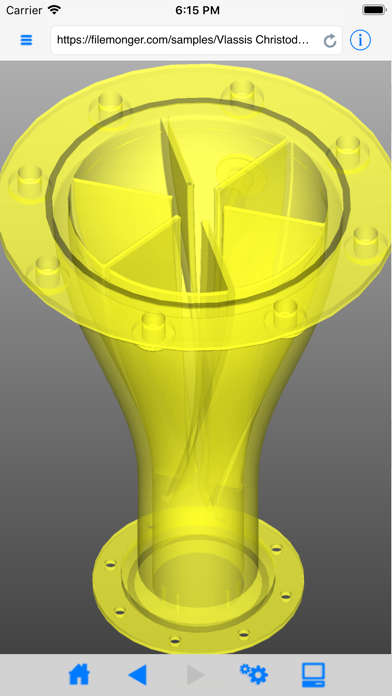
iFilemonger is a web viewer for design and 3D files. It is based on the filemonger.com service and it is available as an app for your iPad/iPhone/iPod. Just browse to a file or a ZIP archive on the web, and you will be able to view and interactively rotate, zoom or move the objects in the file. You can additionally view files uploaded to the device, files from other Document Provider apps or files sent via email. Currently supported formats include DXF drawings, IGES assemblies, STL/3D printing models, OBJ files and their textures, Gerber PCB designs, VRML worlds and TIFF images among others.
Latest release
What’s New
This version introduces three new format translators, PTS, point-cloud/XYZ and TRI and extends the OBJ and PLY readers. It adds rendering capabilities like specular and normal mapping and the ability to view point-sets. It also implements numerous stability fixes. • Added rendering support for specular and normal maps (in world and tangent space or from height maps) • Added rendering support for point sets with customizable point size from preferences • Added support for Gamma correction selectable from preferences • Improved transparency blending calculations • Implemented new point-cloud formats PTS and XYZ and new polygonal format TRI • Added support for specular and bump maps in the OBJ reader • Extended the OBJ reader to support non standard, per-vertex color information, exported by some applications • Added support for common flavors of UVs, texture maps, specular maps and normal maps in PLY • Implemented reading of point sets without element faces in PLY • Support per point color for point-sets and meshes in PLY • Preserve the original file normals in PLY, when selected in preferences • Support larger file uploads to the filemonger.com service (200MB) • Moved the view toolbar at the bottom of the screen. It can be toggled with a tap gesture • Exit the information screen with a tap in addition to a swipe-down gesture • Added “Start over” button to the “Sign-in” panel that allows switching account information at any time • Bug fixes o Fixed failure to open certain poly-lines in Gerber reader o Fixed importing of outline macros with negative numbers in Gerber reader o Fixed reading of arcs not starting at zero and arcs crossing from 4th to 1st quadrant in Gerber reader o Fixed BMP support of indexed images o Simplified the DXF file detection o Fixed transformation of EYE in the pan / move tools o Fixed layout of tab-bar icons in horizontal iPhone view o Improved memory usage and fixed memory issues
Audience growth
Ratings growth
Baseline captured. Growth appears after the crawler observes a changed rating count.
Momentum comes from crawler snapshots for the tracked storefront. “Viral growth signal” means unusually fast recent rating gains; it is an indicator, not download data.
Price tracking
Price intelligence
First snapshot captured. The trend line starts after the next crawler price observation.
- First observed Aug 23, 2026 · 2:13 PM Free
Screenshots