About this app
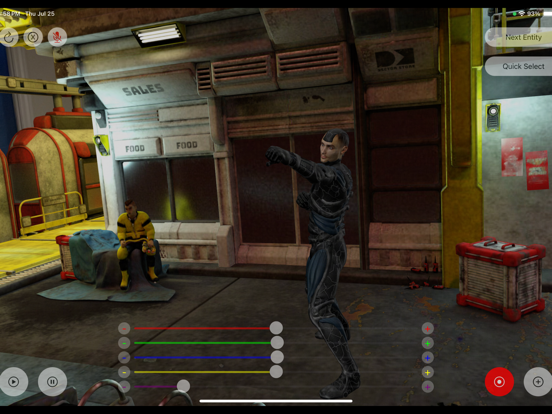
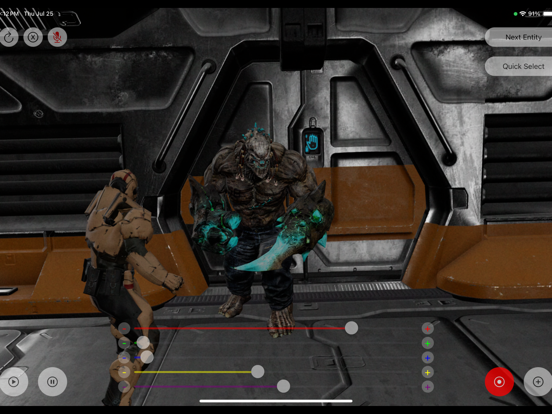
Bring your ideas to life with in-camera visual effects. 3D Filmaker is an augmented reality filmmaking app that lets you create scenes with tracked 3D objects, virtual backgrounds, and animated characters—right inside your real environment. No complicated setup and no physical green screen required. Place and anchor elements to walls, floors, and real-world surfaces, then film from different angles while everything stays locked in place like it belongs there. Set your shot, direct your actors, and capture the scene with video and audio recorded in-app. In-camera VFX made simple • Add 3D objects into your real space using AR placement • Anchor props to surfaces so they stay tracked and stable • Use virtual backgrounds/overlays for “green screen” style shots without a green screen • Move your camera while effects remain positioned in the scene Build full scenes (not just filters) • Drag, rotate, scale, and position objects with intuitive controls • Add animated characters with built-in actions • Preview your scene in real time while you compose your shot Get a cinematic look while you film • Apply LUTs (live color grading) over the camera view • Adjust intensity/opacity to match your style before you record Whether you’re making short films, skits, music videos, or social content, 3D Filmaker helps you create VFX-style shots directly on your phone. The full access subscription gives the user access to our app and helps support our team of independent game developers to continue to make our application better, helping our users express their creativity. For more information about our application's policy please visit our website https://play3dtoys.com/pages/piracy-policy-ar-stop-motion and to review the terms of use our app uses please refer to https://www.apple.com/legal/internet-services/itunes/dev/stdeula/
Latest release
What’s New
- Added ability to add LUT (in camera colour grading) - Added the ability to have live actors in scene with people occlusion and computer vision based live matte - Added Image background assets - Added Anchoring to choose to place an object anchored to a wall or floor plane
Audience growth
Ratings growth
Baseline captured. Growth appears after the crawler observes a changed rating count.
Momentum comes from crawler snapshots for the tracked storefront. “Viral growth signal” means unusually fast recent rating gains; it is an indicator, not download data.
Price tracking
Price intelligence
First snapshot captured. The trend line starts after the next crawler price observation.
- First observed Aug 19, 2026 · 10:15 AM Free
Screenshots