About this app
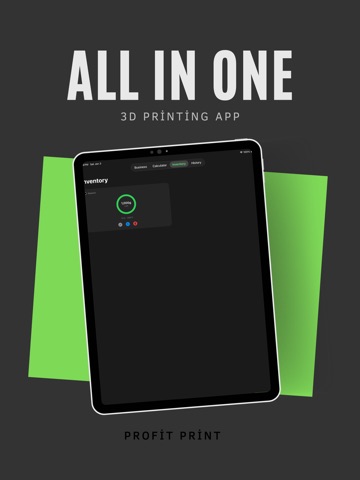
Stop guessing your prices. Know your true profit. Profit Print is the essential tool for 3D printing hobbyists and business owners who need accurate, instant quotes for their prints. Whether you are selling on Etsy, printing for friends, or running a print farm, Profit Print handles the math so you can focus on creating. Key Features: Accurate Estimates: Input filament cost, weight, and print time for instant calculations. Hidden Costs: Automatically factor in electricity rates and printer depreciation. Labor Tracking: Add your hourly rate for post-processing and slicing time. Profit Margins: Set your desired markup percentage to see your final sell price immediately. Material Support: Works for PLA, PETG, ABS, and Resin (SLA) printing. Turn your hobby into a business with Profit Print. Download today and start pricing with confidence.
Latest release
What’s New
What's New Redesigned Dashboard The Business tab has been completely rebuilt from the ground up. You now get a bold Net Profit hero card with month-over-month trend arrows, plus new stats for Profit/Hour, Avg Profit per Print, Profit Margin %, and total Material Used. A horizontal Recent Prints scroll shows your last 6 jobs at a glance, and a ranked Top Performers list highlights your most profitable prints with gold, silver, and bronze badges. Pro users also get a new Cost Breakdown chart showing exactly where your money goes. Pricing Assistant Never guess your sale price again. Tap the sparkle icon next to Sale Price in the calculator to open the Pricing Assistant. It shows recommended prices for 10%, 20%, 30%, 40%, and 50% profit margins — all calculated with Etsy fees already factored in. Tap any price to instantly fill it into the calculator, or enter a custom target margin. Monthly Goal Tracker Set a monthly profit goal right from the Dashboard. A live progress bar tracks how close you are, updates in real time as you save prints, and celebrates with confetti when you hit your target. Sort Your Print Library Organize My Prints by Newest, Oldest, Most Profitable, Least Profitable, or Name A–Z using the new sort button. Filament Color Rings The inventory progress ring now matches the actual color of your filament spool instead of a generic status color. Celebrate Your Wins Confetti now falls when you save a completed print and when you unlock Pro. Rate the App You can now leave a review anytime from Settings → Support. Bug Fixes & Improvements General stability improvements and UI polish throughout the app.
Audience growth
Ratings growth
Baseline captured. Growth appears after the crawler observes a changed rating count.
Momentum comes from crawler snapshots for the tracked storefront. “Viral growth signal” means unusually fast recent rating gains; it is an indicator, not download data.
Price tracking
Price intelligence
First snapshot captured. The trend line starts after the next crawler price observation.
- First observed Sep 10, 2026 · 10:08 PM Free
Screenshots