About this app
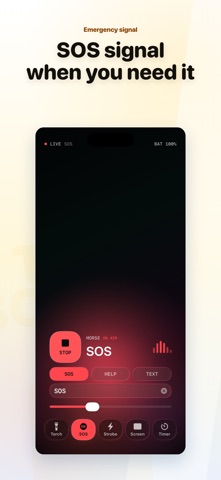
When you need light in a hurry, the built-in flashlight can feel a little too buried. 1Tap Flashlight — Turbo Bright keeps the torch, SOS, strobe, screen light, and auto-off timer in one simple place. Open it, tap once, and see exactly what is on without hunting through menus. It is made for small everyday problems and the occasional moment when you really do need a better light. Download 1Tap Flashlight — Turbo Bright, and spend less time fiddling when you need to see. Your iPhone already has a flashlight. So why use this? Because the system flashlight is mostly just a switch. That is fine for quick use. But real life is messier than on and off. Sometimes you want a softer screen light at night instead of a harsh flash. Sometimes you want a strobe so people can notice you near a road, in a garage, or outdoors. Sometimes the power goes out and you want the light to turn off by itself later. Sometimes you want an SOS signal without figuring things out in the moment. 1Tap Flashlight — Turbo Bright puts those needs into a cleaner, faster interface. Use it for: • Quick torch access A large, clear button makes it easy to turn the light on when you need it. • SOS signal Useful outdoors, on night walks, near your car, or whenever you need a visible alert. • Strobe mode A blinking light can draw attention better than a steady beam. • Screen light Use your display as a softer lamp for bedside use, checking a sign, finding something at night, or avoiding a harsh flash. • Auto-off timer Set a timer for temporary light, bedtime, or a power outage, then let it stop on its own. • Battery status See battery information while the light is on, so you have a better sense of how long you can keep going. 1Tap Flashlight — Turbo Bright does not try to make a simple thing complicated. It just makes the kinds of light you actually use easier to reach. The system flashlight is still there. But if you want your phone light to be easier to control, 1Tap Flashlight — Turbo Bright is worth keeping around. Note: Continued use of the flash may significantly reduce battery life.
Latest release
What’s New
- Refined the iPad layout so timer controls and mode buttons feel more consistent with iPhone.
Audience growth
Ratings growth
Baseline captured. Growth appears after the crawler observes a changed rating count.
Momentum comes from crawler snapshots for the tracked storefront. “Viral growth signal” means unusually fast recent rating gains; it is an indicator, not download data.
Price tracking
Price intelligence
First snapshot captured. The trend line starts after the next crawler price observation.
- First observed Aug 19, 2026 · 10:03 AM Free
Screenshots