About this app
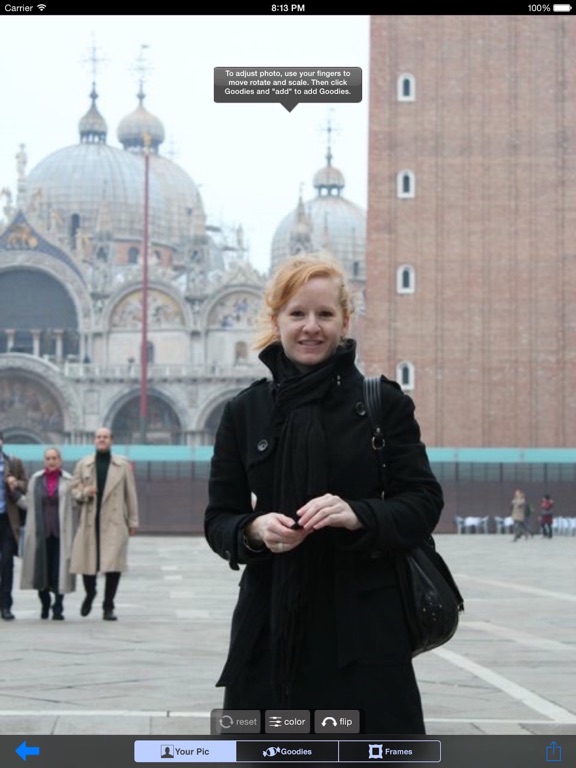
Are your pictures not disgustingly cute enough?? Then get Cutie Cute Cute! and cute-ify your flicks! Comes with 135 free assets to put on your pics! Or unlock them all for a low price! Comes with the following packs built in! Also, buy any pack and the ads go away! 1. Cutie Cute Pack - 78+ fun Cute images to put in your pics! 2. Baby Fun Pack - 68 fun images to put on baby pics! 3. Yummy Pack - 66 delicious images of yummy food! 4. Cute Animals Pack - 48 cute fuzzy animal images! 5. Goodies Pack - 102 more fun images! Hair, eyes, glasses, mouths, hats, etc... 6. Rainbows and Unicorns - Over 75 images of rainbows, unicorns, stars, and other glittering things. 7. Robot Head Pack - 36 cute robot heads to put on your pic 8. Butterfly Pack - 51 pretty butterflies for your pic! 9. More Goodies Pack - 60 more fun images of hair, facial hair, and more! 10. Clothing Pack - 51 great outfits to virtually wear in your pictures 11. Put A Bird On It - 36 cute bird silhouettes! 12. More Hair Pack! - 108 more great hair styles! 13. Frames Pack! - Now when you're done with your pic you can put it in a frame! 14. Caption Tool - Write stuff on your pictures! Can't be with the ones you love? Well send 'em a cute pic instead! Just take a pic (or choose one from your library) click the plus sign and then add a fun fun cute image! And when your done share 'em via Facebook, Instagram, Twitter, and more! SIMPLE INSTRUCTIONS 1. Choose a picture from your library, or take a new picture. 2. Click the "+" on the bottom to access asset menu 3. Choose a picture pack or caption tool. 4. Choose an picture. 5. Use multi-touch to resize asset, and move it. Or use the flip feature to flip the image, for instance with the eyelashes, so you can have both sides! Then use the "color" button to change the asset colors and continue steps above to add more images. Then when your done click the share button to send to your friends. 6. Repeat until you are happy with your picture. 7. Click the frames button and add an awesome frame. 8. Click the share icon, and share your image via, facebook, twitter, Instagram, photoapplink, or e-mail! 9. Have fun!
Latest release
What’s New
- Routine performance upgrade
Audience growth
Ratings growth
Baseline captured. Growth appears after the crawler observes a changed rating count.
Momentum comes from crawler snapshots for the tracked storefront. “Viral growth signal” means unusually fast recent rating gains; it is an indicator, not download data.
Price tracking
Price intelligence
First snapshot captured. The trend line starts after the next crawler price observation.
- First observed Aug 12, 2026 · 2:13 PM Free
Screenshots