About this app
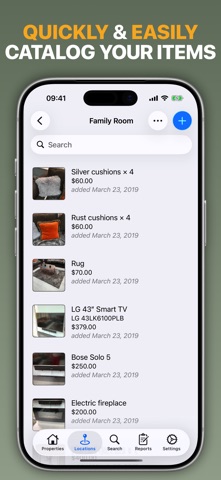
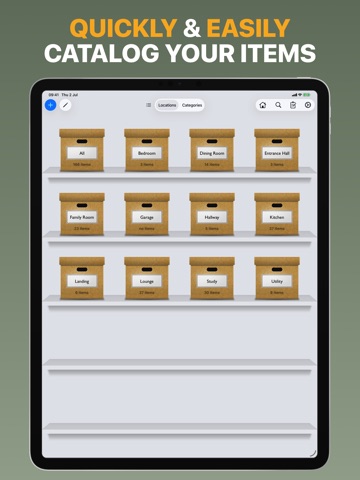
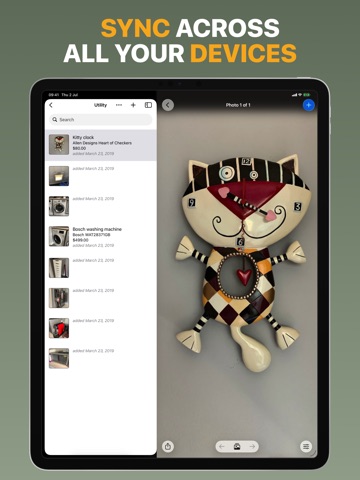
The fastest way to create a complete home inventory. Capture First. Organize Later. Home Contents’ unique Quick Capture mode lets you walk through each room taking one photo of every item. When you’re finished, complete the details whenever it's convenient by adding values, serial numbers, warranties, receipts, and notes. Home Contents helps you keep a complete record of everything you own. Whether you’re making an insurance claim after a fire, flood or burglary, moving home or planning your estate, your inventory is always close at hand. Free download includes up to 25 items and 1 property. Go Unlimited: Unlock unlimited items and multiple properties with a one-time in-app purchase. No subscription required. Features • Capture an entire room in minutes with the unique Quick Capture mode • Record purchase dates, values, serial numbers, warranties, barcodes and notes • Add multiple photos and PDF receipts to items • Organize everything by property, location and custom categories • Assign items to multiple categories for flexible organization • Built-in smart categories highlight warranties, unvalued and unfiled items • Generate professional PDF reports by location, category, value and other criteria • Create detailed reports for individual high-value items • Quickly search across every field, or simply scan a barcode • Optimized for iPad with keyboard shortcuts, trackpad support and drag & drop • Keep your inventory in sync across iPhone and iPad with iCloud • Backup, restore and export your inventory whenever you need • Protect your inventory with an optional passcode Private by design. Your inventory is stored locally on your device or in your personal iCloud storage. You stay in control of your data.
Latest release
What’s New
• Refreshed design with a cleaner, more modern look • New edge-to-edge layouts with updated controls and menus • Faster app launch • Reduced background syncing, including on low-data networks • Fixed a rare sync issue that could cause new items to disappear • Other bug fixes and improvements
Audience growth
Ratings growth
Baseline captured. Growth appears after the crawler observes a changed rating count.
Momentum comes from crawler snapshots for the tracked storefront. “Viral growth signal” means unusually fast recent rating gains; it is an indicator, not download data.
Price tracking
Price intelligence
- First observed Aug 14, 2026 · 10:29 AM Free
Screenshots