About this app
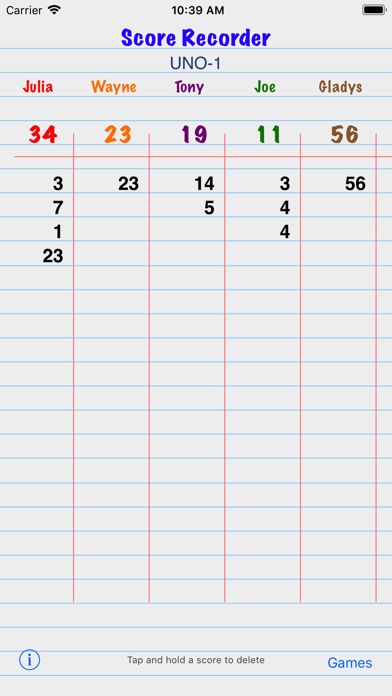
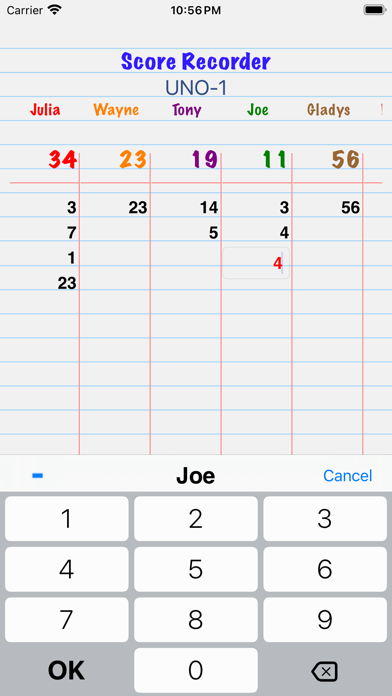
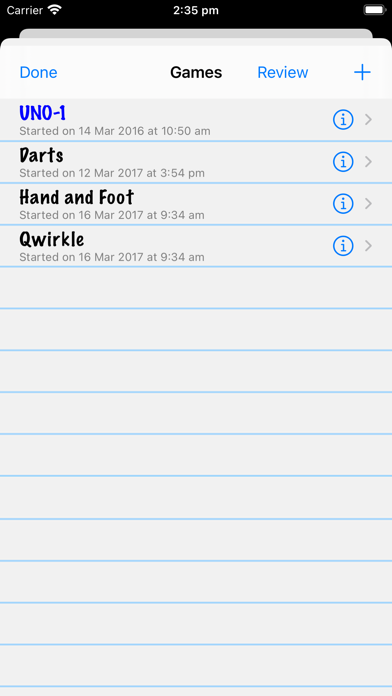
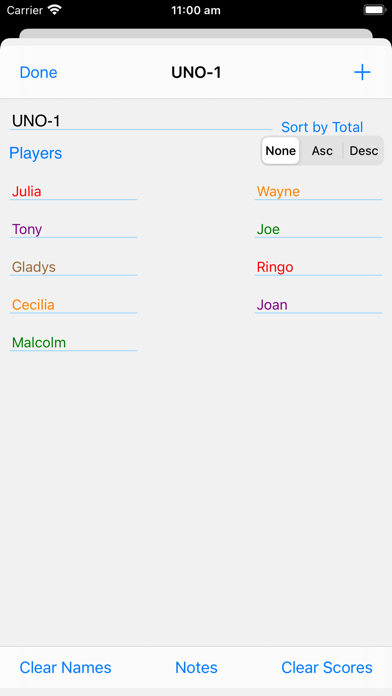
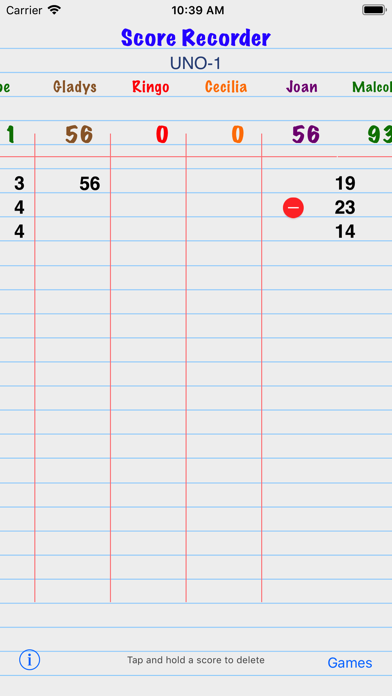
This Universal app enables the scores of games to be recorded simply without needing to use pen and paper, while giving the impression that a piece of ruled paper is being used. It can be used for recording the results of many types of games, for example Scrabble, darts and golf, as well as many card games such as UNO, Hand and Foot, tournaments, the pointy end of sailing regattas etc. It can even be used to simply add up a list of numbers, including optional decimal numbers to 6 decimal places with region-appropriate decimal indicator and optional region-appropriate grouping (thousands) indicator. Totals can be hidden if the 'game' is recording a list of numbers rather than scores in a game. Score Recorder displays the running total of each player's scores so they don't have to be added to the previous total after each round, thereby reducing the need for mental arithmetic. Names of the players or teams or groups are easily entered and their colours changed. Multiple games can be scored at the same time. Each game can have an 'unlimited' number of players. Completed games can be easily deleted using right to left swipe on the Games list screen. • To start, tap the Games button at the bottom to create a Game and then add some players. Double-tap a player's name to change its colour. • To enter a score tap the player's name or total score or immediately under the player's last score; enter the score with the keypad that appears and then either tap the OK button on iPhone or return on iPad, or tap another player. • Negative scores are easily entered with the minus sign at the top left of the keypad. • To delete a score or game: long-press on the score to reveal a red minus button alongside the score. Tap that to reveal the red Delete button. • Games can be sorted by the players' total scores - ascending or descending. When sorting is selected, the columns are sorted by totals left to right as scores are added, modified and deleted. • Scores can be modified by simply tapping on them Each player can have a vast number of scores in each game. A large number of players can be added to each game. Score Recorder has the capability to record notes about each game. From the Notes screen use the Action button to send a game as a CSV (Excel-readable) file using email or SMS or to some other available app e.g. Numbers. Auto-lock can be turned off while Score Recorder is the active application. This setting, available in the iOS Settings app, ensures the device will not go to sleep while Score Recorder is the active application. Decimal numbers and grouping separators are enabled via switches in the iOS Settings app: Settings>Score Recorder Score Recorder has Accessibility (VoiceOver) capabilities to help visually impaired people use it. Compatible with iOS12.0 through iOS18 (and probably later). Runs on Apple Silicon. If you find _any_ issues, please remember to report them via the developer website link in the App Store so they can be addressed or fixed.
Latest release
What’s New
• Totals in any game can now be hidden. This is useful if you are keeping lists of numbers where totalling them is not meaningful eg keeping track of your toddler's height, or the weight of your small cattle, or your time and position in running races eg Park Run. In these examples one 'player' might be the date and another 'Height' or 'Position'. Totalling these values is not meaningful.
Audience growth
Ratings growth
Baseline captured. Growth appears after the crawler observes a changed rating count.
Momentum comes from crawler snapshots for the tracked storefront. “Viral growth signal” means unusually fast recent rating gains; it is an indicator, not download data.
Price tracking
Price intelligence
First snapshot captured. The trend line starts after the next crawler price observation.
- First observed Aug 11, 2026 · 8:46 AM $1.99
Screenshots