About this app
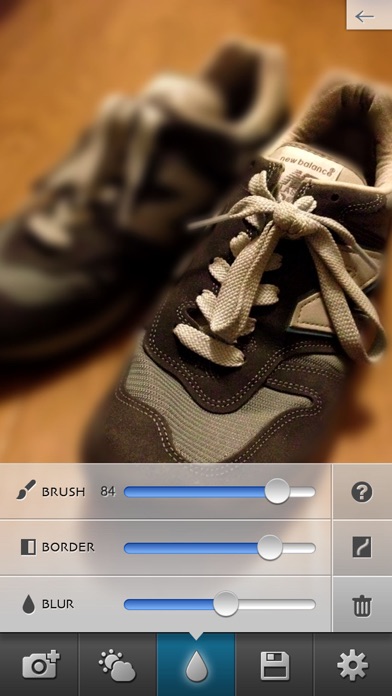
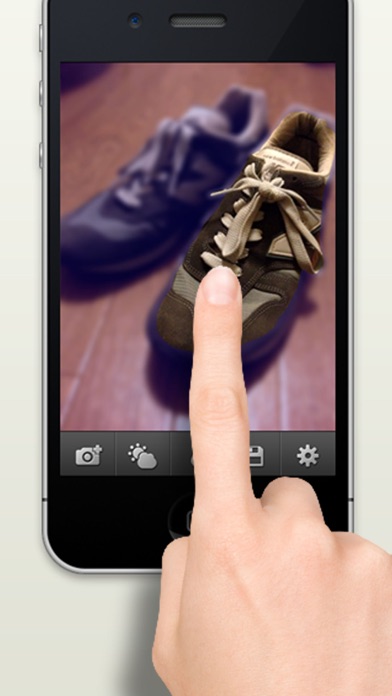
Finger Focus lets you create photos with beautiful blur effects by simply tracing over the image with your fingertip. You can add depth, perspective, and atmosphere that cannot always be captured with the iPhone camera alone. Even if you trace broadly, the blur boundary is automatically adjusted, making it easy to achieve a natural-looking effect. With pinch gestures, you can seamlessly zoom in down to the pixel level, allowing you to carefully bring out subjects with detailed or complex shapes. You can check the result in real time as you trace. ■ How to Use Trace: Trace over the area you want to keep in focus. Pinch with two fingers: Zoom in, zoom out, and move the image. Double tap: Return to 100% view. ■ Main Features - Adjust the blur effect strength (BLUR) - Adjust the blur effect boundary (BORDER) - Adjust brightness, contrast, and saturation - Seamless zoom in and zoom out with pinch gestures - Adjustable brush size - Undo and eraser tools - Save the original image when taking photos with the camera Please feel free to send us your requests or feedback. X (Twitter): bbcddc Mail: info@bbcddc.com
Latest release
What’s New
- Increased the maximum resolution limit for saved images by 4x - Changed the email send button to a share button - Made minor fixes
Audience growth
Ratings growth
Baseline captured. Growth appears after the crawler observes a changed rating count.
Momentum comes from crawler snapshots for the tracked storefront. “Viral growth signal” means unusually fast recent rating gains; it is an indicator, not download data.
Price tracking
Price intelligence
First snapshot captured. The trend line starts after the next crawler price observation.
- First observed Aug 19, 2026 · 8:35 PM Free
Screenshots