About this app
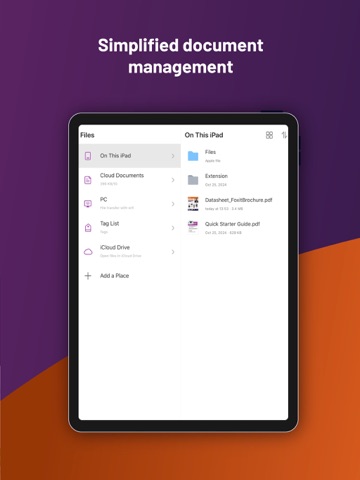
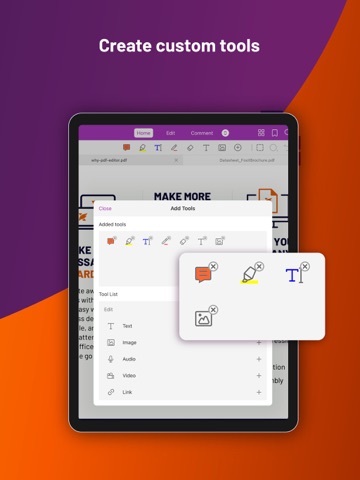
Looking for a versatile PDF editor that you can use anytime, anywhere? Look no further than Foxit PDF Editor mobile app. This easy-to-use PDF editor – trusted by hundreds of millions – allows you to view, edit, and annotate PDF files on iOS devices while on the go. The app also offers advanced subscription-based features, including our AI Assistant, optical character recognition (OCR), handwritten notes conversion, and more. Discover the capabilities of Foxit PDF Editor: • Reliable: 100% compliant with your current PDF ecosystem. • Efficient: Let our AI Assistant do the work for you. • Lightweight: Doesn’t exhaust your device resources. • Fast: Instant access to PDFs with no delays. • Secure: Robust file protection features to safeguard sensitive information. • Collaborative: Maintain full control of your content while working with others.. • Supportive: Access 24/7 customer service via support chat. • Multi-Language: Support for 12 languages for global usability. What Foxit PDF Editor can offer to you: AI Assistant • Agent-based conversation to ask and receive real-time responses • Automate workflows with built-in and custom skills • AI-powered image/chart generation • Translate the text • Auto-create bookmarks • Read documents aloud intelligently View and manage PDF files • Reflow PDF files for easy viewing • Convert scanned text and handwritten notes into digital text* • Easy document navigation with bookmark management features • Search for text within your PDF document • Supports tabbed document interface (for iPad only) • Supports to read the PDF out loud • Rename, move, copy, or delete PDF file(s) Collaborate and share PDF files • Add annotations and stamps to PDF files • Share PDF files and screenshots from within the application • Share multiple files across your desktop and iOS device via Wi-Fi • Save, synchronize, and access PDF files in popular cloud services (Google Drive, OneDrive, etc.) Create and convert PDFs • Create blank PDFs from scratch* • Create PDFs from Microsoft Office, image, text, and HTML files* • Scan and convert paper documents to PDFs (available on iPad 3, iPhone 5, and newer generation products) • Convert PDFs to Microsoft Office, image, text, or HTML files* • Combine PDFs to create a new PDF* Edit PDF files • Insert audios, videos, or hyperlinks to PDFs* • Add/edit text and image objects in PDFs* • Edit document properties* • Optimize PDF documents* • Reorganize PDF pages (Add*, delete, rotate, or extract* pages) Work on PDF forms • Fill out and save PDF forms • Import and export form data • Submit PDF forms via HTTP, FTP, or Email • Work on XFA forms* Sign and protect PDFs • Add handwritten signatures to PDFs • Sign PDF documents with an existing digital certificate* • Protect PDF files with password and Microsoft Information Protection* • Protect PDF information with redaction* The features marked with the asterisk (*) are advanced features based on subscription through in-app purchase. To activate the advanced features, you should create a Foxit account and subscribe to Foxit PDF Editor. After subscription, just sign in with your Foxit account and the advanced features will be available. Terms and Conditions: You must comply with the Foxit-Terms of Use and Privacy Policy (https://appstore.foxitsoftware.com/appstore/license) when using this app. Have feedback? You can contact us at the following address: https://www.foxit.com/support/ticket.html Follow Foxit on Facebook and Twitter! https://www.facebook.com/foxitsoftware https://twitter.com/foxitsoftware
Latest release
What’s New
• Intune App Config Setting - Adds an App Config setting in Intune that allows administrators to control whether Intune configuration is enabled or disabled by default for Foxit PDF Editor for iOS. • Foxit AI Assistant Access Control - Restricts personal account access to Foxit AI Assistant tools based on access policies defined in Admin Console. • Upgraded Al Assistant with multi-model support, reusable skills, and diagram creation • lmage Generation is now Create Image, available in the AI Chat • Fixed some bugs to improve user experience.
Audience growth
Ratings growth
Baseline captured. Growth appears after the crawler observes a changed rating count.
Momentum comes from crawler snapshots for the tracked storefront. “Viral growth signal” means unusually fast recent rating gains; it is an indicator, not download data.
Price tracking
Price intelligence
- First observed Aug 14, 2026 · 12:27 AM Free
Screenshots