About this app
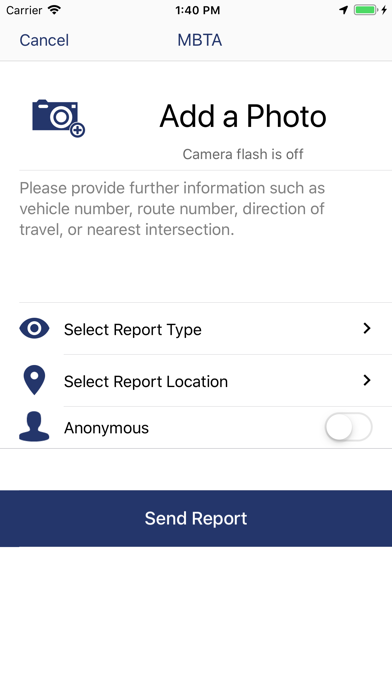
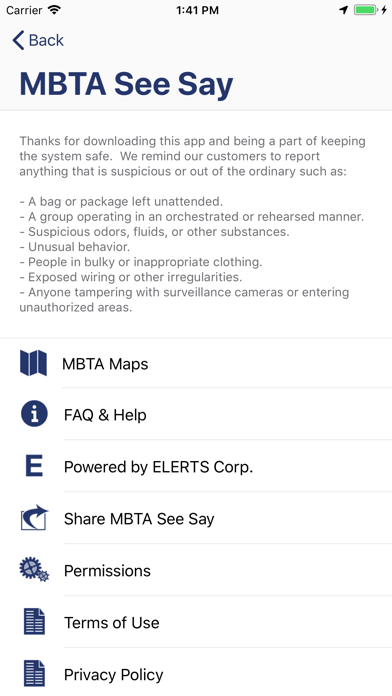
"See something Say something” for smartphones The MBTA See Say App offers riders a quick and discreet method for reporting suspicious activity directly and instantaneously to Transit Police. Using this app, riders can send the MBTA Transit Police pictures, text messages, and locations of suspicious activity. From the App home screen, riders have two easy options for contacting Transit Police: * The “Report a Problem” button allows riders to send text or photos directly to Transit Police. To ensure discretion, the camera flash is automatically disabled when photos are taken through the app. When reporting an issue, riders can select station locations and report categories to assist transit police. * The “Call Transit Police” button will connect customers directly to Transit Police. The application is designed for the T. If you send a report in an area without cellular connectivity, it will be stored and sent when connectivity returns. The system is also design to send text before pictures so that Transit Police get reports as quickly as possible. Additional Features Riders can sign up to receive MBTA T-Alerts through the app to be notified of service delays and disruptions. BOLO alerts. (Be On the Look Out) SeeSay may also display alerts from the MBTA. For example, SeeSay may display information about a missing person, such as where they were last seen. If you see this person you may call or send a report to Transit Police.
Latest release
What’s New
-Added the ability to provide more details after you send an initial report -The Alert list now groups message threads together making it easier to follow conversations -View your Reports by selecting the “My Reports” Tab on the Alert List -Improved Photo and Video uploading UI
Audience growth
Ratings growth
Baseline captured. Growth appears after the crawler observes a changed rating count.
Momentum comes from crawler snapshots for the tracked storefront. “Viral growth signal” means unusually fast recent rating gains; it is an indicator, not download data.
Price tracking
Price intelligence
First snapshot captured. The trend line starts after the next crawler price observation.
- First observed Sep 7, 2026 · 3:18 PM Free
Screenshots