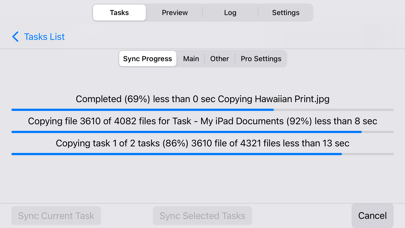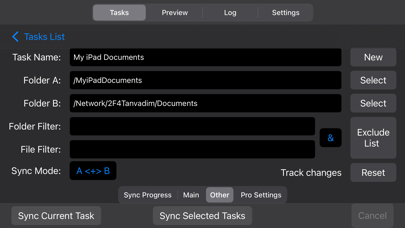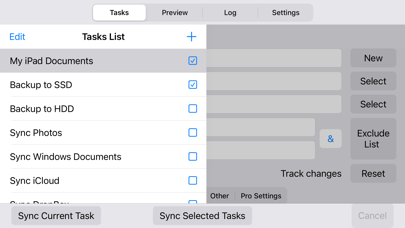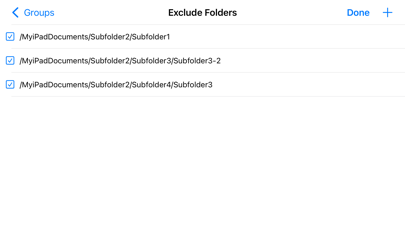
About this app
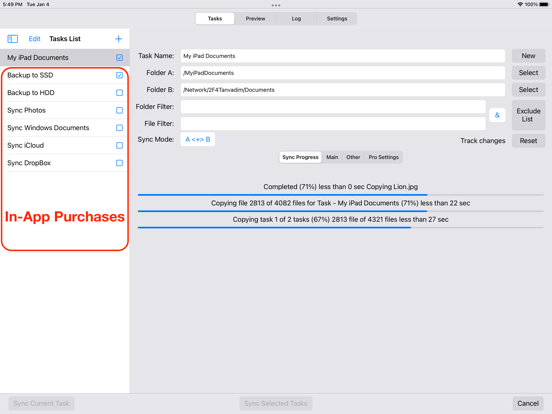
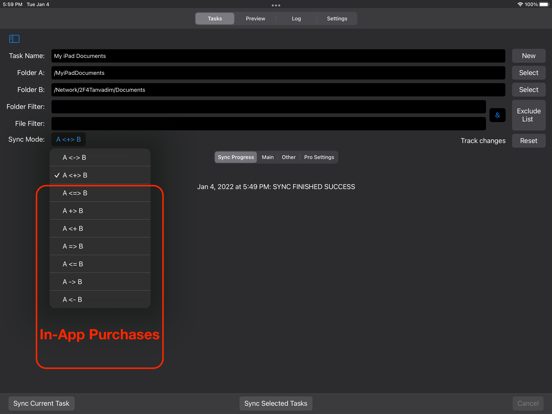
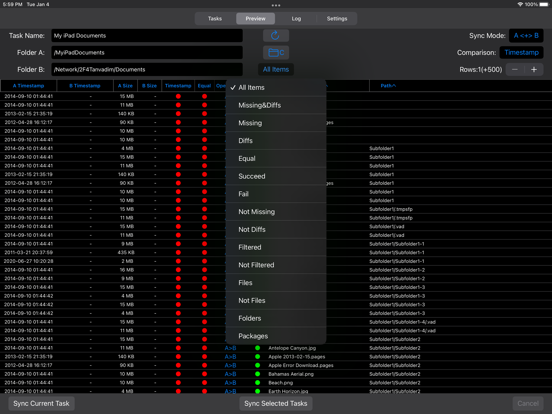
• Synchronization and backup of local folders iOS, network folders Mac and PC, iCloud, external USB drives, memory cards, any other external media storage connected via Files.app • Bidirectional sync, one-way sync, mirror backup (In-App Purchases, two sync modes for free). • Powerful preview mode. Ability to change file operations before syncing. • Synchronization any number of pair folders at the same time (In-App Purchases, one pair folders for free). • With each re-backup, the app finds and copies only new files and new file versions, thereby reducing backup time and extending the life of your storage devices. • List of excluded subfolders, files, file extensions, filter for folders and files. Sync Folders is an easy-to-use app for beginners, has the ability to fine-tune synchronization settings for the most exacting professionals. Do you have terabytes (TB) of data to sync? No problem! Sync Folders has been optimized to work with extremely large number of files. Do you have questions? Please watch our helpful video tutorial on our website. FOR BEGINNERS - Select 2 folders to synchronize. - Select the synchronization mode, or use the default mode. You do not need to worry about other settings, they are set to the recommended. - Click the "Sync current task" button and your folders will be synchronized! FOR PROFESSIONALS - 9 sync modes (In-App Purchases, two sync modes for free). - 6 file comparison modes allow to synchronize files on the storage devices with different file systems. - Synchronization of files with all attributes (timestamps, tags). - Synchronization of subfolder attributes (timestamps, tags). - Ability to select what package types synchronize as files, and which as folders. - You can transform the app to the convenient file manager using powerful filters for files and folders. - Synchronization over the network. - Protection for unauthorized disconnect storage devices (folders) during synchronization. - Keeping the last/all versions of files to be deleted. Using this mode, you can always restore deleted files, even if folders have synchronized several times. - Ability to log events. You can filter events by type, task, status. Ability to export the event log to an external file.
Latest release
What’s New
- Added support for iPhone. - Added Saving/Loading app settings.
Audience growth
Ratings growth
Baseline captured. Growth appears after the crawler observes a changed rating count.
Momentum comes from crawler snapshots for the tracked storefront. “Viral growth signal” means unusually fast recent rating gains; it is an indicator, not download data.
Price tracking
Price intelligence
- First observed Aug 24, 2026 · 10:27 PM Free
Screenshots