About this app
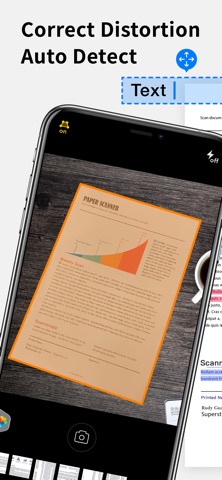
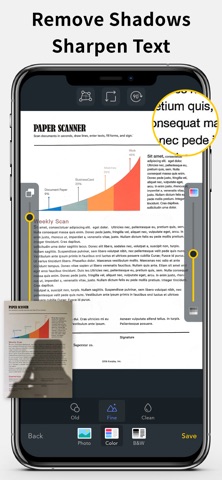
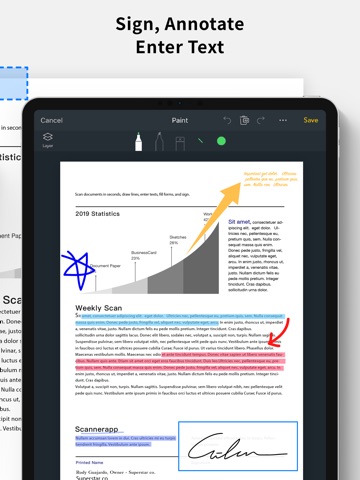
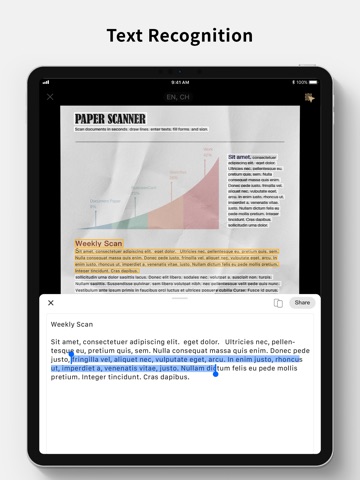
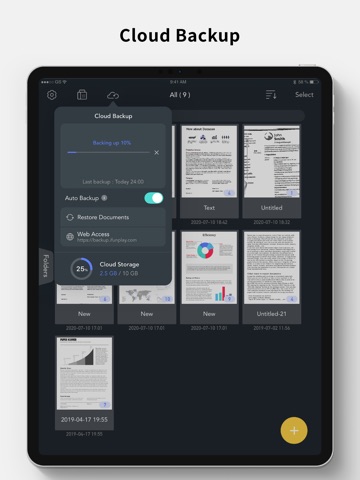
Scan and OCR documents in seconds, draw lines, edit texts, fill forms, collage, and sign. Share as PDF / JPEG by email, WiFi file sharing, cloud storages, smb, webdav, and fax. Powerful Scanning & OCR • Instantly scan paper documents, whiteboards, business cards, books, posters, and receipts with sharp clarity. • Auto-detect document edges to correct perspective distortion. • Enhance readability by removing background shadows and sharpening text in “Color” or “B&W” mode. • Adjust brightness and saturation in “Photo” mode. • Edit text, draw lines, and insert images. • Extract text from scanned images using OCR and export as TXT or DOCX. Photo Collage & Multi-Page Printing • Merge multiple pages into a single sheet—perfect for printing double-sided ID cards on A4/Letter paper. Save, Print & Organize • Save scans as JPEG or export as PDF. • Print wirelessly with AirPrint-supported printers. • Organize scans into folders, browse with thumbnail previews, and search by file name, OCR text, or notes. • Add annotations, signatures, and password protection for documents. Convenient Faxing • Send and receive faxes anywhere—no fax machine needed. • Receive push notifications for fax status updates. • Fax to 100+ countries (cost based on page count and recipient country). • Subscribe to a fax number for incoming faxes or disable fax reception when not needed. Seamless File Sharing & Export • Support exporting searchable PDFs • Transfer files between devices effortlessly. • Share as JPEG/PDF via email or open in other apps. • Save to Photos, iCloud Drive, Google Drive, Dropbox, OneDrive, Evernote, WebDAV, and more. • Access files from a PC using a web browser over WiFi. • Export to Reminders and sync with Apple, Google, or Outlook calendars. Easy File Import • Import JPEG images from other apps for cropping and enhancement. • Import PDFs as scanned pages. • Import files from cloud storage services. Effortlessly manage and digitize your documents—anytime, anywhere! Subscription Plans Unlock premium features with Bronze, Silver, or Gold plans, including: • Cloud Backup & Restore: Access previous versions of your documents anytime • Flexible subscription options: Monthly or annual plans available • Subscription renews automatically unless auto-renew is turned off at least 24 hours before the end of the current period • Account will be charged for renewal within 24 hours before the end of the current period. The cost depends on the selected plan • Subscriptions may be managed by the user, and auto-renewal may be turned off by going to the user's Account Settings after purchase • Any unused portion of the free trial will be forfeited when the user purchases a subscription or cancel it Terms of Service: https://ifunplay.com/legal.html
Latest release
What’s New
This update includes stability improvements and bug fixes.
Audience growth
Ratings growth
Baseline captured. Growth appears after the crawler observes a changed rating count.
Momentum comes from crawler snapshots for the tracked storefront. “Viral growth signal” means unusually fast recent rating gains; it is an indicator, not download data.
Price tracking
Price intelligence
- First observed Aug 14, 2026 · 12:32 AM Free
Screenshots