About this app
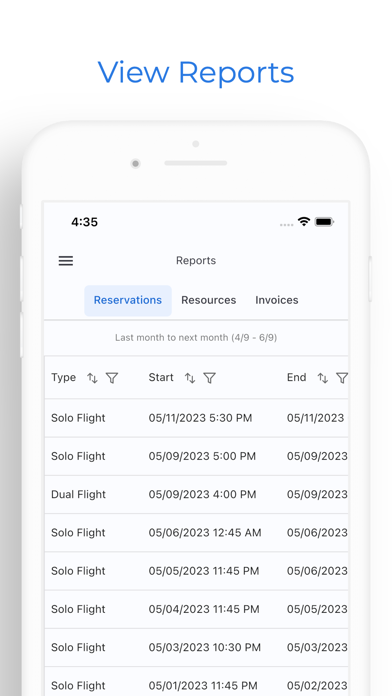
AerScheduler is a way to manage your fleet, personnel, and scheduling all from your mobile device. Perfect for flight schools, flight clubs, and aircraft owners. You can sign up completely on your own, add your aircraft, invite users, and start scheduling. Enjoy email notifications, push notifications, and Google Calendar integration with your scheduling events. Integrate with our payment provider to process payments for reservations and lessons. Roles for personnel include admins, technicians, dispatchers, students, instructors, and renters. Add planes, simulators, and classrooms to your organization. Assign students to instructors. Review flights to mark as complete. Add your weekly availability. Create organization notifications Add multiple locations to your organization Mark your organization as private or public
Latest release
What’s New
New • Book a Shared flight: several pilots in one aircraft with no instructor, each with their own invoice under your school's splitting rules. • Resources has its own list in the menu, filtered by Aircraft, Simulators or Rooms. People filters the same way. • Choose which Google calendar your flights sync to, in Settings, Calendars. • Payment Methods can now add a card, through Stripe's secure form. • Time zones now cover the whole world, searchable, with US zones still at the top. Scheduling • Home shows the flight you are in as Current flight, instead of jumping to the next one. • The calendar no longer cuts off early-morning or late-evening flights, and follows your school's own flying hours. • Opening the start or end time on an existing booking shows the time already booked, and scrolls to it. • A dual booked with no aircraft can be edited and saved without picking a plane. • A booking you are already on no longer offers to put you on standby for it. • Slot offer notifications include Accept, Decline and View. Tapping a reservation notification opens that booking. Money • Home's money card now matches how your school bills, whether that is unpaid invoices or your account balance. • Invoices list each charge once, with cents. A split booking no longer shows the whole flight's cost above your share. Training and records • A ground lesson with several students lists everyone on it, and each person can enter their PIN to review. • Closing out a flight is tidier: the Complete sheet ticks who has signed, Done records your review, and a ground lesson with no instructor is ready to sign straight away. • Fixed a blank grey panel when opening a currency such as a flight review, medical or aircraft checkout. Fixes • Availability set in the web console now opens correctly in the app, and picking a start or end time works again. • Tap Got it on a school notice and it leaves your Home. You can still open it later from Announcements. • Back from My Profile returns to Home. Admins, dispatchers and instructors have People in the menu. • The aircraft page no longer shows sections you do not have access to.
Audience growth
Ratings growth
Baseline captured. Growth appears after the crawler observes a changed rating count.
Momentum comes from crawler snapshots for the tracked storefront. “Viral growth signal” means unusually fast recent rating gains; it is an indicator, not download data.
Price tracking
Price intelligence
First snapshot captured. The trend line starts after the next crawler price observation.
- First observed Aug 24, 2026 · 10:27 PM Free
Screenshots